

A structured sales workflow isn’t just administrative overhead, it’s your competitive advantage. 80% of sales require 5 or more follow-up calls to close, yet most small businesses lack documented processes to ensure consistent follow-through. Without a clear workflow, leads slip through cracks, sales cycles stretch unnecessarily, and revenue becomes unpredictable. This guide shows you how to build and optimize a sales workflow that turns prospects into customers reliably and efficiently.
Key takeaways
| Point | Details |
|---|---|
| Documented processes boost win rates | Companies with documented sales processes achieve win rates exceeding 50% two-thirds of the time. |
| Optimize before automating | Automating broken workflows wastes resources and magnifies existing problems instead of solving them. |
| Sales methodologies raise close rates | Businesses using defined sales methodologies see 15-20% higher win rates through disciplined conversations. |
| CRM integration drives productivity | Small businesses boost productivity by up to 40% when properly implementing CRM systems. |
| Consistent follow-up converts more deals | Most sales success depends on persistent, structured follow-up that manual processes often miss. |
Why structured sales workflows matter for small businesses
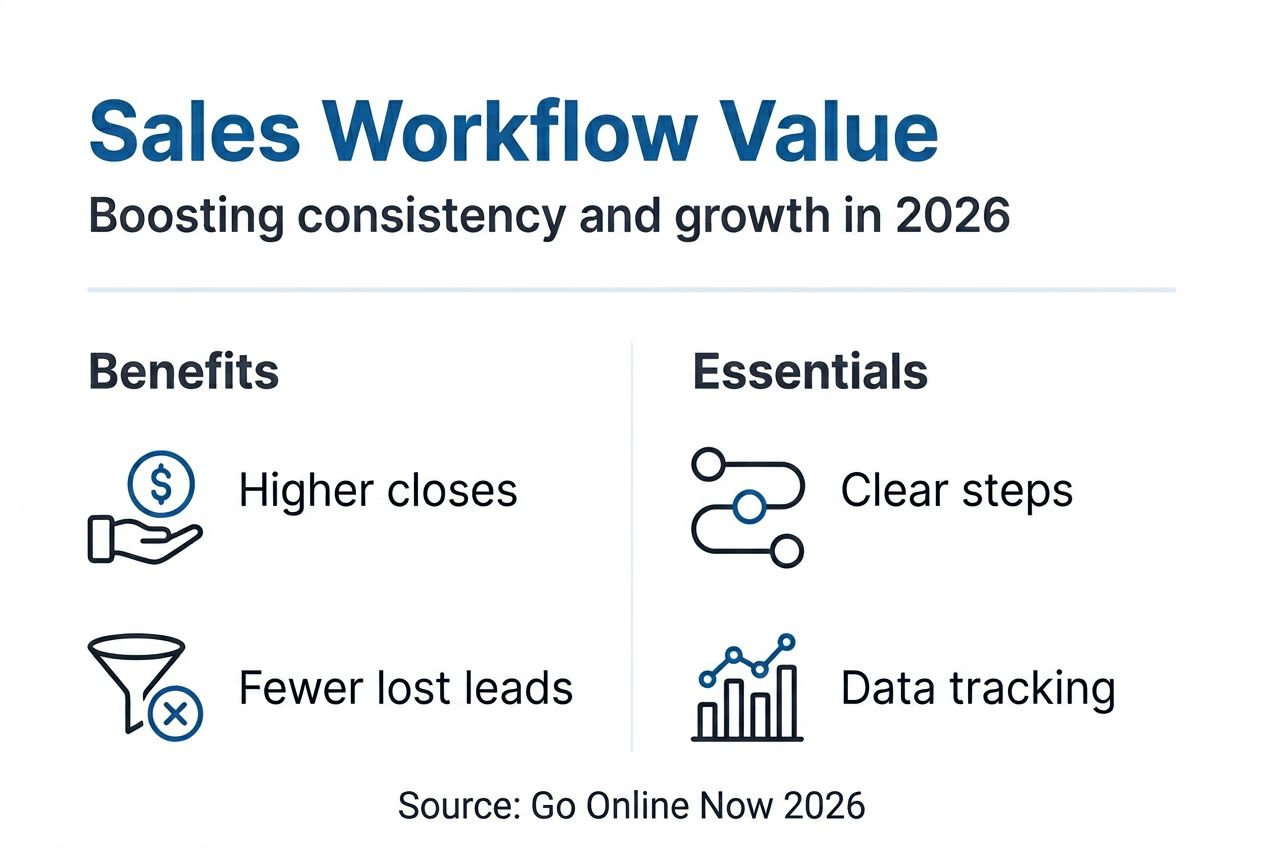
You can’t scale what you haven’t documented. Companies with documented sales processes achieve win rates exceeding 50% two-thirds of the time, while businesses without clear workflows struggle to predict revenue or diagnose performance issues. When every salesperson follows their own approach, you’re building on sand.

Structured workflows create repeatable success. They eliminate guesswork about next steps, ensure no lead falls dormant, and provide clear accountability across your team. Organizations that fix poor sales management see an average 17% sales increase, proving that process improvements deliver measurable growth.
Clear workflows also level the playing field for small businesses. You don’t need enterprise budgets to compete when your sales process is efficient and predictable. A well-designed sales pipeline workflow tutorial can transform how your team operates, reducing confusion and improving conversion rates at every stage.
Consider this insight from sales experts: “The magic isn’t in the system itself. It’s in having any system at all.” Your first priority is establishing a documented process, even if it’s simple. Refinement comes with practice and data.
Key benefits of structured workflows include:
- Predictable revenue forecasting based on pipeline stages
- Faster onboarding for new sales team members
- Clear metrics to identify bottlenecks and improvement opportunities
- Reduced dependency on individual salesperson knowledge
- Higher customer satisfaction through consistent experiences
Without structure, even talented salespeople waste time on low-value activities or miss critical follow-ups. A documented workflow ensures everyone focuses energy where it matters most.
Common pitfalls and how to optimize before automation
Automating a broken process just gives you faster chaos. A common pitfall is automating a broken process. First, optimize the sales process before automating it. Many small businesses rush to implement automation tools without first mapping their current workflow and identifying inefficiencies.
Start with these three optimization steps:
-
Map your current sales process completely. Document every step from initial lead capture through closed deals, including handoffs between team members. Identify bottlenecks, redundant tasks, and points where leads commonly stall. This visibility reveals what actually needs fixing.
-
Prioritize quick wins before complex automation. Begin with simple improvements like automated follow-up reminders, eliminating duplicate data entry, and creating email templates for common scenarios. These changes deliver immediate value and build momentum for larger initiatives.
-
Integrate your CRM with existing communication tools. Ensure seamless data flow between email, phone systems, and your CRM so information updates automatically. Manual data transfer between systems creates errors and wastes hours weekly.
Pro Tip: Start with one high-impact automation like follow-up email sequences for new leads. Measure results for 30 days, refine based on data, then expand to additional workflow stages. This builds confidence and demonstrates ROI to stakeholders.
Common mistakes to avoid include automating everything at once, which overwhelms teams and creates resistance. Focus on small business automation workflow elements that eliminate your biggest time drains first.
Another critical error is ignoring data quality. Automation amplifies whatever you feed it. If your CRM contains duplicate contacts, outdated information, or incomplete records, automation will spread that mess faster. Clean your data before flipping the automation switch.
Finally, don’t automate without measuring baseline performance. Track current metrics like response times, follow-up rates, and conversion percentages so you can quantify improvement. Learn how to optimize marketing automation process by starting with solid measurement frameworks.
Applying proven sales methodologies to increase close rates
Winging sales conversations costs you deals. Businesses that use a defined sales methodology experience a 15-20% increase in win rates because structured approaches keep conversations focused on buyer needs rather than product features.
The most effective methodologies for small businesses share a common trait: they prioritize understanding customer pain before pitching solutions. Focusing on pain-based discovery, as advocated by the Sandler Selling System, can dramatically improve close rates by ensuring your solution addresses real problems.
Popular methodologies you can adapt include:
- Sandler Selling System: Focuses on qualifying prospects through pain discovery, budget confirmation, and decision-making authority before presenting solutions
- MEDDIC: Emphasizes metrics, economic buyer identification, decision criteria, decision process, identifying pain, and champion development
- Challenger Sale: Teaches sales teams to take control of conversations by challenging customer assumptions and providing unique insights
- Solution Selling: Concentrates on diagnosing customer problems and positioning your offering as the specific remedy
Here’s how these methodologies compare for small business application:
| Methodology | Best For | Key Strength | Implementation Complexity |
|---|---|---|---|
| Sandler | Service businesses with longer sales cycles | Pain-focused qualification reduces wasted time on poor-fit prospects | Medium |
| MEDDIC | B2B sales with multiple stakeholders | Systematic approach to complex buying processes | High |
| Challenger | Competitive markets requiring differentiation | Positions salespeople as trusted advisors with unique insights | Medium |
| Solution Selling | Product-focused businesses | Ties features directly to diagnosed customer problems | Low |
You don’t need to adopt an entire methodology rigidly. Extract principles that address your specific challenges. For example, if you struggle with long sales cycles, Sandler’s budget and authority qualification can help you focus on ready-to-buy prospects.
Structured methodologies also improve team consistency. When everyone follows similar discovery questions and qualification criteria, you can compare performance more accurately and identify coaching opportunities. This systematic approach integrates perfectly with a well-configured CRM workflow setup guide.
The discipline of following a methodology prevents common mistakes like presenting solutions before understanding needs or failing to identify decision-makers early. This focus translates directly into higher close rates and shorter sales cycles.
Leveraging CRM and automation tools to streamline your sales workflow
Manual sales processes don’t scale past a handful of customers. CRM systems centralize every customer interaction, deal status, and communication history in one platform, eliminating the scattered spreadsheets and email folders that plague small business sales teams.
The productivity gains are substantial. A small business boosted productivity by 40% using Salesforce by automating routine tasks and gaining real-time visibility into their pipeline. While Salesforce works for some, many small businesses find better value in purpose-built CRM for SMBs that offer comparable features without enterprise complexity.
Key CRM capabilities that transform sales workflows include:
- Automated task creation: System generates follow-up reminders based on deal stage, ensuring no prospect goes cold
- Email integration: All communications sync automatically, eliminating manual logging
- Pipeline dashboards: Visual representation of deals at each stage enables accurate forecasting
- Activity tracking: Automatic recording of calls, emails, and meetings creates complete customer histories
- Mobile access: Sales teams update information from anywhere, keeping data current
Here’s what typical productivity metrics look like before and after CRM implementation:
| Metric | Before CRM | After CRM | Improvement |
|---|---|---|---|
| Average response time to new leads | 4.2 hours | 45 minutes | 82% faster |
| Follow-up completion rate | 34% | 87% | 156% increase |
| Manual data entry time per week | 8.5 hours | 2.1 hours | 75% reduction |
| Forecast accuracy | 61% | 89% | 46% improvement |
| Sales cycle length | 47 days | 34 days | 28% shorter |
Implementation success depends on focused configuration and quality data. Don’t try to use every CRM feature immediately. Start with core contact management and deal tracking, then expand as your team adapts. Clean, complete data matters more than sophisticated features.
Pro Tip: Integrate your CRM with email and communication tools from day one. Automatic activity logging eliminates the biggest barrier to CRM adoption: salespeople hate manual data entry. When the system updates itself, usage skyrockets.
Pairing CRM with email marketing automation tips creates powerful nurture sequences that keep prospects engaged between personal touchpoints. Automated emails handle routine communication while your team focuses on high-value conversations.
The right tools turn your documented sales process into an efficient system that runs consistently whether you’re in the office or not. That reliability is what transforms small businesses into scalable operations.
Enhance your sales workflow with marketing automation software
You’ve learned how structured workflows, proven methodologies, and CRM systems drive sales efficiency. Now it’s time to implement these strategies with tools designed for small business reality.
Marketing automation software handles the repetitive tasks that drain your team’s energy, from follow-up email sequences to lead scoring and appointment scheduling. The right platform integrates seamlessly with your CRM, creating a unified system where marketing and sales work together instead of operating in silos.
Go Online Now offers comprehensive guides to help you select and implement the best marketing automation software guide for your specific needs. Whether you’re just starting with automation or optimizing existing workflows, our CRM workflow setup guide walks you through configuration steps that drive results.
Discover how marketing automation software growth strategies can transform your sales process from reactive to proactive, ensuring every lead receives timely attention and moves efficiently through your pipeline.
Frequently asked questions
What is a sales workflow and why is it important for small businesses?
A sales workflow is the series of repeatable steps your sales team follows to move prospects from initial contact through closing. It ensures consistency across your team, improves efficiency by eliminating guesswork, and increases close rates by minimizing missed opportunities. Without a documented workflow, sales success depends entirely on individual salesperson skill rather than organizational process.
How can small businesses avoid common sales workflow automation mistakes?
Avoid automating broken processes by first mapping and optimizing your current workflow to identify inefficiencies. Start with simple automations like follow-up reminders and data entry elimination rather than attempting to automate everything at once. Measure baseline performance before implementing automation so you can quantify improvements and adjust based on real data.
Which sales methodologies work best for small businesses?
Methodologies like Sandler, MEDDIC, and Challenger are adaptable for small businesses depending on your sales complexity. Sandler works well for service businesses with qualification challenges, while MEDDIC suits B2B sales involving multiple stakeholders. Choose based on your typical sales cycle length, deal complexity, and team resources rather than following trends.
How much can automation increase my small business sales productivity?
Automation can improve sales productivity by up to 40% by reducing manual tasks like data entry and improving forecast accuracy through better pipeline visibility. Results vary based on implementation quality and process optimization before automation. The biggest gains come from automating high-frequency, low-value tasks that currently consume significant team time.
Recommended
- Workflow for small business growth: Save 75% time & boost leads 451% – Go Online Now
- CRM Workflow Setup Guide for SMB Growth Success – Go Online Now
- Sales Pipeline Workflow Tutorial for Service Businesses – Go Online Now
- Small Business Marketing Automation 2025: A Success Guide – Go Online Now
- How to Scale Playable Ads Efficiently and Budget-Friendly – playablemaker.com How to Scale Playable Ads Efficiently and Budget-Friendly