

TL;DR:
- Effective small business email marketing relies on triggered automation, segmentation, and technical authentication to maximize ROI.
- Building a system that nurtures customer relationships and measures conversion metrics produces sustainable, profitable results.
Most small business owners think email marketing means sending a monthly newsletter and hoping someone clicks. That mental model is costing you money. Real email marketing is a system of triggered, automated, personalized communication that meets your customers exactly where they are in their buying journey. Targeted workflows consistently outperform high-volume generic campaigns by a significant margin, and the data proves it. This guide breaks down what actually works in 2026, from list building and segmentation to deliverability and the metrics that actually tell you something useful.
Why email marketing delivers the highest ROI
No other digital channel comes close to email marketing’s return on investment. On average, businesses earn $36 to $42 for every $1 spent on email. Top-performing companies that use automation and audience segmentation push that number past $70. That gap between average and top performers is not luck. It is strategy.
The secret behind those outsized returns is automation. Automated emails generate 37% of all email revenue despite accounting for just 2% of total sends. Think about what that means: a small slice of your email program, the automated part, is doing most of the financial heavy lifting. For a small business with limited time and staff, that is the best possible leverage point.
Here is what drives those results:
- Lifecycle automation sends the right message at the right moment, like a welcome series for new subscribers or a re-engagement email for someone who has not purchased in 90 days.
- Behavioral triggers respond to what a contact actually does: clicks a product page, abandons a cart, or downloads a resource.
- Personalization goes beyond using someone’s first name. It means sending content relevant to their purchase history, location, or stage in the sales cycle.
- List quality over list size means a clean list of 2,000 engaged subscribers will outperform a bloated list of 20,000 unengaged contacts every time.
For email marketing for small business, this ROI story is especially compelling. You do not need a massive budget. You need a smart system.
Building campaigns that actually get results

Effective email campaign strategies start with the foundation: your list. A quality email list building process means collecting contacts who genuinely want to hear from you. Use opt-in forms on your website, offer a lead magnet like a free checklist or discount, and always get explicit permission. Buying lists is a fast track to spam complaints and a damaged sender reputation.
Once you have contacts, the next step most businesses skip is segmentation. Learning how to segment email lists is one of the highest-leverage skills in email marketing. You can segment by:
- Demographics: age, location, job title
- Purchase behavior: what they bought, how recently, how often
- Engagement level: active openers versus contacts who have not clicked in 60 days
- Stage in the funnel: new lead, active prospect, or repeat customer
Segmentation lets you craft content that feels relevant instead of generic. A salon owner sending a “Book your next appointment” email only to customers who have not visited in 45 days will outperform one who sends it to their entire list. The specificity is the point.
Content itself matters too. Effective email newsletters have a clear, single goal per email. Not three goals. One. Whether that is clicking a link, booking a call, or reading a post, your call-to-action needs to stand out visually and make it obvious what the reader should do next. Subject lines should be specific and curiosity-driven without being clickbait.
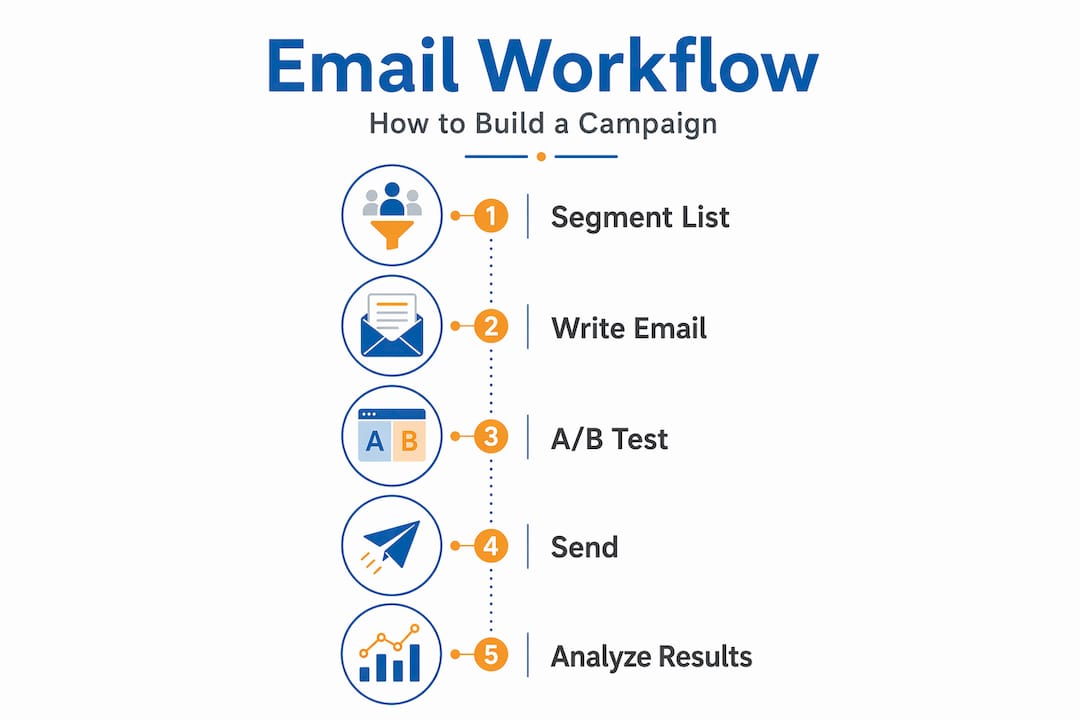
Pro Tip: Test two subject lines for every campaign using an A/B split on 20% of your list before sending the winner to the remaining 80%. You will see measurable improvements in engagement within weeks.
Technical must-haves for inbox placement
You can have the best content in the world and still land in spam if your technical setup is wrong. Since February 2024, Gmail and other major providers require bulk senders to authenticate their domains using SPF, DKIM, and DMARC. Non-compliance results in 30 to 40% of your emails going straight to spam. Getting this right is not optional.
Here is what each term means in plain language:
- SPF (Sender Policy Framework): A DNS record that tells receiving mail servers which IP addresses are allowed to send email on behalf of your domain. Think of it as a guest list for your email server.
- DKIM (DomainKeys Identified Mail): A digital signature attached to every email that proves the message was not tampered with in transit. Receiving servers verify this signature automatically.
- DMARC (Domain-based Message Authentication, Reporting, and Conformance): A policy layer that sits on top of SPF and DKIM. It tells receiving servers what to do when authentication fails: deliver, quarantine, or reject.
- One-click unsubscribe: Since 2024, List-Unsubscribe header implementation via HTTPS POST is mandatory for bulk senders. Proper setup reduces spam complaints and protects your sender reputation.
Once authentication is configured, use Google Postmaster Tools to monitor your domain’s reputation, spam rate, and authentication performance. Domains that maintain spam complaint rates below 0.10% keep high deliverability scores. A spike above that threshold signals a list or content problem that needs immediate attention.
One important distinction: domain and IP reputations are separate. Your IP reputation can recover relatively quickly after a bad campaign. Your domain reputation moves slowly and requires consistent good behavior over months to rebuild. Protect it carefully.
| Authentication Method | What It Does | Required by Gmail? |
|---|---|---|
| SPF | Verifies sending IP is authorized | Yes |
| DKIM | Digitally signs each email | Yes |
| DMARC | Enforces authentication policy | Yes |
| One-click unsubscribe | Allows instant opt-out via header | Yes (bulk senders) |
Pro Tip: Do not wait for deliverability problems to show up in your open rates. Check Google Postmaster Tools weekly. The data only appears once you hit certain send volume thresholds, so consistent sending and consistent monitoring go hand in hand.
Metrics that actually tell you something
Open rates feel reassuring. A 40% open rate looks great on a dashboard. The problem is that number is probably wrong. Apple Mail Privacy Protection and corporate security bots pre-load email images, which registers as an “open” even when no human ever read the message. This inflates open rates by 15 to 20 percentage points or more, making them nearly useless as a performance signal.
Open rates should only be used for relative A/B testing of subject lines, where the inflation is consistent across both variants. For any real business decision, shift your focus to these metrics:
- Click-through rate (CTR): The percentage of recipients who clicked a link. This requires deliberate action from a real human, making it far more reliable than opens.
- Conversion rate: The percentage who completed the goal action, whether that is a purchase, a booking, or a form fill. This is the number that connects email directly to revenue.
- Revenue per recipient: Total revenue from a campaign divided by the number of people it reached. This helps you compare campaign efficiency regardless of list size.
- Bounce rate: Hard bounces mean invalid addresses. A rate above 2% signals list hygiene problems that will hurt your sender reputation.
- Spam complaint rate: Keep this below 0.10%. Above 0.30% and major providers will start filtering your emails aggressively.
The shift away from open rates forces a healthier discipline. When you optimize for conversions and revenue per recipient, you are improving real business results instead of chasing a number that privacy software controls.
Practical steps to improve performance now
Knowing the theory is one thing. Putting it into practice is where most SMBs stall. Here is a clear sequence to follow:
- Set up your authentication first. Before you send another campaign, verify that SPF, DKIM, and DMARC are properly configured on your domain. Your email service provider’s help docs will walk you through this for your specific setup.
- Audit and clean your list. Remove hard bounces immediately. Suppress contacts who have not engaged in 180 days or run a re-engagement campaign targeting them specifically before removing them. A clean list protects your reputation and saves you money on platform fees.
- Build your first automated workflow. Start simple. A three-email welcome sequence for new subscribers: introduce your business, share your most useful content or offer, and invite a specific action like booking a call or making a first purchase. This alone will outperform most manual campaigns.
- Test systematically. Change one variable at a time: subject line, send time, CTA button copy, or email length. Track CTR and conversion rate as your benchmarks. After four to six tests, patterns will emerge.
- Use lifecycle automation to scale. Add a post-purchase sequence, a cart abandonment series, and an anniversary or birthday email for customers. Each workflow runs without your daily involvement, earning returns around the clock.
Pro Tip: Segment your re-engagement campaign into two groups: contacts who clicked something in the last 90 days and contacts who clicked nothing in 180-plus days. Use different offers and different tones for each group. You will recover more contacts and waste fewer sends.
What I have learned working with SMBs on email
I have seen the same pattern repeat with small business owners who come to us frustrated by email results. They treat email as a series of one-off campaigns. A promotion here, an announcement there. No system. No connection between sends. And then they wonder why engagement drops over time.
The business owners who get the best results treat email as infrastructure, the same way they treat their website or their CRM. It runs in the background, consistently and automatically, nurturing relationships without requiring them to sit down and write something every week.
I have also watched SMBs panic when their open rates drop after Apple releases a new iOS update. That panic leads to bad decisions, like mailing more frequently to “fix” the numbers, which actually accelerates list fatigue and increases spam complaints. The smarter move is to stop watching open rates and start watching click-through rates and revenue per email sent.
The other mistake I see constantly is ignoring authentication until there is already a deliverability crisis. By then, rebuilding domain reputation takes months of disciplined, low-volume, high-quality sending. Setting up SPF, DKIM, and DMARC on day one costs you about 20 minutes. Fixing a damaged domain reputation costs you months of lost revenue.
My honest take: the SMBs that win at email are not the ones with the biggest lists or the most creative subject lines. They are the ones who build a system, maintain their lists with discipline, and measure the metrics that actually connect to money.
— Go
Put your email marketing on autopilot
If you are spending hours every month manually writing and sending campaigns, you are working harder than you need to. Goonlinenow’s marketing automation software for SMBs handles the heavy lifting: automated workflows, list segmentation, campaign performance tracking, and compliance features like one-click unsubscribe built right in.
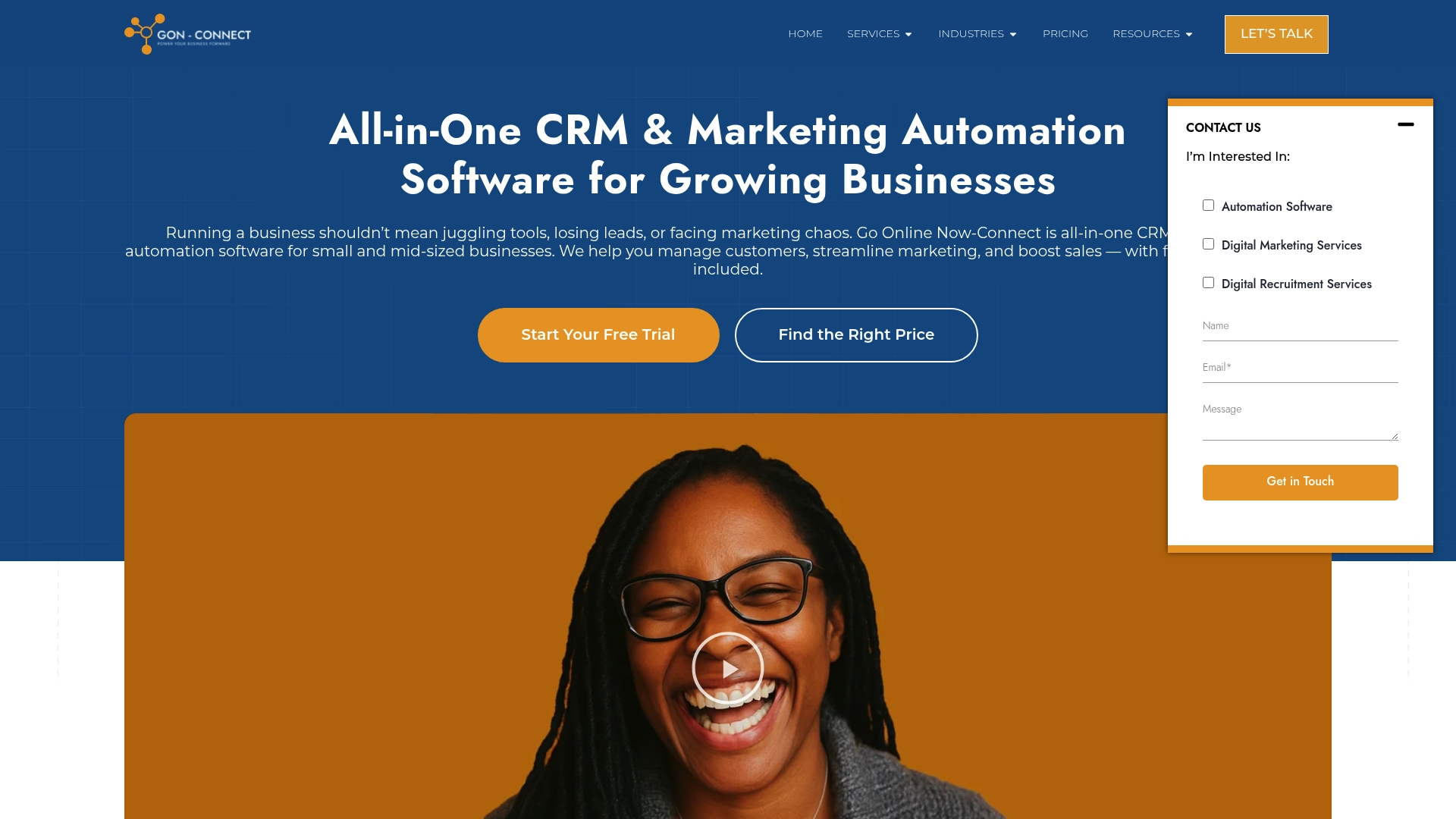
You do not need a technical team or a massive budget to get this running. Goonlinenow includes done-for-you setup so your automations, sequences, and CRM are configured from day one. If you want to see exactly how automation drives ROI, take a look at what the platform delivers for businesses just like yours. No contracts, no hidden fees, and real human support whenever you need it.
FAQ
What is email marketing, exactly?
Email marketing is the practice of sending targeted, permission-based messages to a list of subscribers to build relationships, promote products or services, and drive revenue. Modern email marketing relies on automation, segmentation, and personalized content rather than mass blasts.
How much ROI can a small business expect from email marketing?
Most businesses average $36 to $42 in return for every $1 spent on email marketing. Companies using automation and segmentation frequently exceed $70 per dollar spent.
How do I segment my email list effectively?
Start by separating your list based on engagement level (active versus inactive), purchase behavior, and where a contact is in your sales funnel. Even basic segmentation, like separating new subscribers from repeat buyers, produces measurably better results than sending one message to everyone.
Why are my email open rates unreliable?
Privacy tools like Apple Mail Privacy Protection and corporate security scanners pre-load email images automatically, recording false opens. This inflates open rates by 15 to 20 percentage points or more. Use click-through rate and conversion rate as your primary performance benchmarks instead.
What technical setup do I need before sending bulk emails?
You need SPF, DKIM, and DMARC configured on your sending domain, plus a one-click unsubscribe header in your emails. These are required by Gmail and Yahoo for bulk senders since 2024. Without them, 30 to 40% of your emails may land in spam.