

TL;DR:
- Automated email marketing saves time and enables personalized messaging at scale for small businesses.
- Common pitfalls include poor email authentication, unengaged lists, and over-automation risking spam filters.
- Starting with simple workflows like welcome and nurture sequences maximizes effectiveness and growth potential.
Automated email marketing is often seen as something only large corporations with big budgets and dedicated tech teams can pull off. That assumption is wrong, and it’s costing small businesses real money. Today, affordable platforms make it possible for any SMB to run sophisticated, personalized email campaigns without hiring a developer or spending hours on manual tasks. This guide walks you through exactly what automated email marketing is, why it matters for your business, how to use it effectively, and the pitfalls to avoid so you can start seeing results faster.
Key Takeaways
| Point | Details |
|---|---|
| Automation made simple | Modern tools mean SMBs can now automate email campaigns easily without big budgets or special tech skills. |
| Engagement boost | Automated emails drive better customer engagement and higher sales with less manual work. |
| Avoid common pitfalls | Monitor deliverability and avoid over-automation to keep emails landing in the inbox and customers happy. |
| Strategy over volume | Thoughtful, relevant messaging wins more than sheer email quantity—use automation to enhance your customer relationships. |
What is automated email marketing and how does it work?
Automated email marketing means using software to send emails to your contacts based on specific actions, behaviors, or schedules, without manually hitting “send” each time. Think of it as setting up a smart assistant that knows when to reach out to a customer and what to say, based on rules you define once.
At the core of every automation system are two elements: triggers and workflows. A trigger is an event that starts the process, like someone signing up for your newsletter, making a purchase, or abandoning a cart. A workflow is the sequence of emails that follows. For example, when someone subscribes to your list (trigger), they automatically receive a welcome email, then a follow-up with helpful content three days later, then a promotional offer on day seven.
Understanding the automation basics helps you see how even simple setups can produce consistent results. Common types of automated emails include:
- Welcome emails: Sent immediately when someone joins your list
- Nurture sequences: A series of educational or value-driven emails that build trust over time
- Re-engagement emails: Sent to inactive subscribers to win back their attention
- Transactional emails: Order confirmations, receipts, and shipping updates
- Birthday or anniversary emails: Personalized messages triggered by date data
Most automation platforms offer visual workflow builders, contact segmentation, A/B testing, and performance analytics. You do not need to write code. As email campaigns streamline with workflows and reduce manual effort, you free up time to focus on strategy and growth.
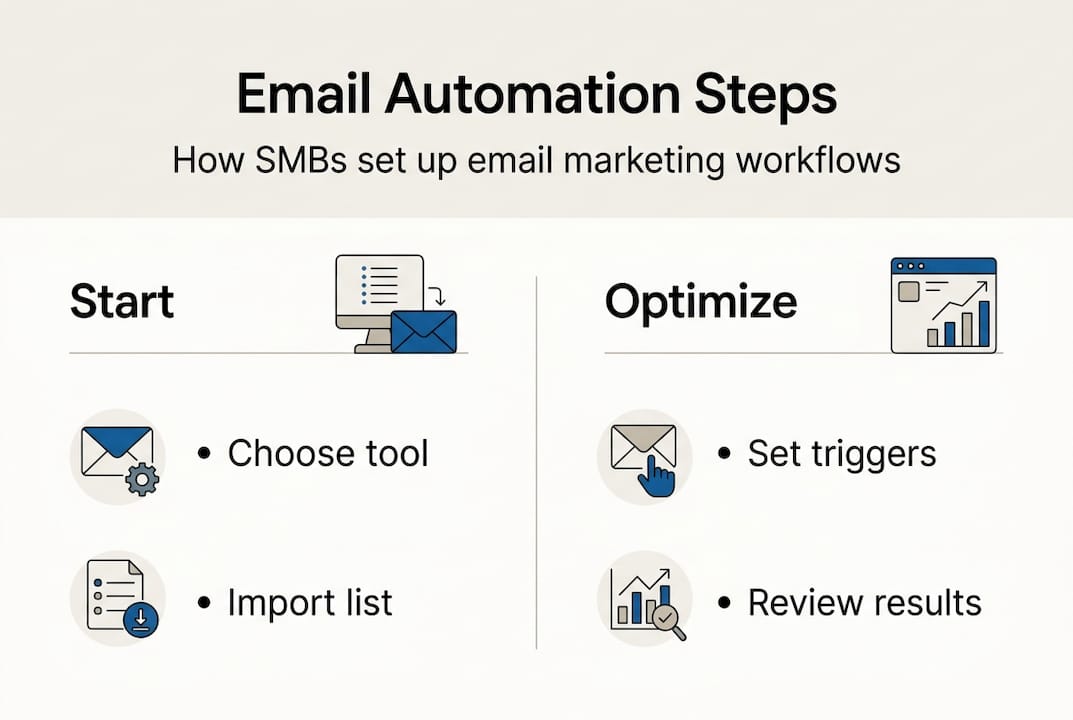
If you want a clear path forward, follow a step-by-step automation process to avoid common setup mistakes.
Pro Tip: Don’t try to build ten workflows at once. Start with a welcome sequence and one nurture flow. Get those performing well before you add complexity.
Top benefits of automating email marketing for SMBs
After understanding the system, it’s important to recognize why switching to automation is a smart move for your business.

The most immediate benefit is time savings. Once your workflows are live, they run without you. No more manually sending follow-ups or forgetting to check in with a lead. This alone can save several hours per week for a small team.
Beyond time, automation enables personalization at scale. You can segment your audience by behavior, location, purchase history, or interests, and send each group content that actually speaks to them. Generic mass emails get ignored. Relevant, timely messages get opened and clicked.
Here are the key benefits SMBs consistently report after adopting automation:
- Fewer manual errors in sending and scheduling
- Higher open and click-through rates from targeted messaging
- Improved customer retention through consistent, relevant touchpoints
- Better return on investment compared to one-off campaigns
- Scalability without adding headcount
Statistic callout: Businesses that use automation for campaigns consistently report increases in efficiency and campaign effectiveness without continuous manual input.
Reviewing best practices for email marketing shows that the businesses seeing the strongest results are those combining automation with thoughtful content strategy, not just blasting more emails.
Affordability is another factor worth highlighting. In 2026, many platforms start at $20 to $50 per month, making automation accessible even for businesses with tight budgets. Reviewing email marketing practices for small businesses confirms that the barrier to entry has never been lower.
Pro Tip: Focus on engagement quality over volume. A list of 500 highly engaged subscribers will outperform a list of 5,000 unresponsive ones every single time.
Automated email marketing in action: Common use cases
With the benefits clear, let’s see exactly how automation can fit into typical SMB operations.
Different campaign types serve different goals. Here is a quick comparison to help you understand which automation fits where:
| Campaign type | Manual approach | Automated approach | Efficiency gain | Engagement impact |
|---|---|---|---|---|
| Welcome email | Sent manually per signup | Instant trigger on signup | Very high | High |
| Nurture sequence | Drafted and sent weekly | Pre-built drip sequence | High | High |
| Win-back campaign | Identified and sent manually | Triggered by inactivity | High | Medium |
| Cart recovery | Requires manual follow-up | Auto-triggered after abandonment | Very high | Very high |
| Promotional blast | Manual scheduling | Scheduled with segmentation | Medium | Medium |
As automation covers campaigns from onboarding to cart recovery and re-engagement, the practical value becomes obvious. Each of these scenarios represents a real revenue opportunity that manual processes often miss.
Here is how each use case plays out in practice:
- Welcome emails set the tone for your relationship. A salon that sends a welcome email with a first-visit discount sees more bookings than one that goes silent after signup.
- Nurture sequences are ideal for coaches or consultants who need to build trust before a prospect commits to a purchase.
- Win-back campaigns target subscribers who haven’t opened an email in 60 to 90 days. A simple “We miss you” message with a special offer can reactivate a meaningful percentage of that audience.
- Cart recovery emails are especially valuable for e-commerce and service booking businesses. Sending a reminder within one hour of abandonment consistently recovers lost revenue.
Follow an automation tutorial to set up your first workflow, and use an email campaign checklist to make sure nothing gets missed before you go live.
Key challenges and pitfalls of automated email marketing
Having looked at common scenarios, it’s just as important to address the practical pitfalls and risks you must avoid.
Automation can fail for technical reasons that have nothing to do with your content. The most common issues include:
- Poor email authentication: If your domain lacks SPF, DKIM, and DMARC records, inbox providers will distrust your emails. Many will land in spam or get blocked entirely.
- High bounce rates: A bounce rate above 2% signals to providers that your list is outdated or purchased. This damages your sender reputation quickly.
- High complaint rates: If more than 0.1% of recipients mark your emails as spam, your deliverability will suffer. Irrelevant or too-frequent emails are the usual cause.
- Unengaged lists: Sending to contacts who never open your emails hurts your reputation. Segment and suppress inactive subscribers regularly.
- New IP warmup: If you’re using a new sending domain or IP address, new IPs need warmup over four to six weeks. Jumping straight to high volume will trigger spam filters.
“Over-automation overwhelms your audience. AI-generated content that lacks personalization or relevance increases the risk of being caught by spam filters. The goal is to be helpful, not just present.”
Another real risk is audience fatigue. Sending too many automated emails, even well-written ones, trains your subscribers to ignore or unsubscribe. Frequency needs to match the value you’re delivering.
For small teams managing automation, keeping workflows simple and focused is more effective than building an elaborate system that’s hard to maintain or monitor.
Pro Tip: Check your bounce and complaint rates weekly, especially in the first 30 days of a new campaign. Catching problems early protects your sender reputation before serious damage is done.
Why automation is powerful—but not a magic bullet for SMBs
Understanding the risks rounds out the practical picture, but here’s a hard-won insight from the field: automation amplifies whatever marketing you already have. If your messaging is unclear, your segmentation is lazy, or your offers aren’t compelling, automation will just deliver those problems faster and at greater scale.
The businesses we see succeed with automation are not the ones with the most workflows. They’re the ones who know their customer journey inside out. They’ve thought carefully about what a new subscriber needs to hear in week one versus week four. They test subject lines. They prune their lists without guilt.
A contrarian truth worth sitting with: more automation is not always better. Adding a seventh email to a nurture sequence rarely outperforms improving the third one. The real leverage comes from thoughtful segmenting, smart timing, and content that feels like it was written for one person, not a list.
Use automation to free up your creative energy, not to replace it. Explore growth strategies that treat automation as a foundation, not a finish line. The businesses that grow consistently are the ones using automation to do more of what works, not to avoid thinking about what their customers actually need.
Take your email marketing further with smart automation tools
If you’re ready to see the practical impact of automation in your business, the right tools and support make all the difference.
Go Online Now-Connect gives SMBs access to automation tools for SMBs that are built for real business owners, not tech specialists. You get done-for-you setup, real human support, and a platform that combines email automation, CRM, and lead management in one place. No steep learning curve, no hidden fees. If you want a clear roadmap from setup to results, start with our complete SMB automation guide and see exactly how other small businesses are saving time and increasing conversions with automation that actually works.
Frequently asked questions
How much does automated email marketing cost for SMBs?
Modern tools start as low as $20 to $50 per month, scaling with list size and features, making automation genuinely accessible for businesses at any stage.
Is there a risk of being flagged as spam with automation?
Yes. Deliverability fails can result from poor authentication and unengaged lists, so setting up SPF and DKIM records and cleaning your list regularly is essential.
What automation should a small business start with?
Begin with a welcome sequence and a simple nurture flow, then layer in abandoned cart and win-back campaigns once your foundational workflows are performing well.
Does automated email marketing require technical skills?
Most platforms are designed to be user-friendly with visual builders and templates, so basic automation requires minimal technical knowledge to get started.