

TL;DR:
- Media management software consolidates digital assets into searchable systems with AI metadata, workflow controls, and analytics. It includes digital asset management and media asset management, optimizing content retrieval, permissions, and distribution for SMB marketing teams. Evaluating features, AI capabilities, and platform suitability ensures efficient content workflows and measurable ROI.
Media management software is the technology that consolidates your digital content into a centralized, searchable system with AI-powered metadata, workflow controls, and performance analytics. The industry uses two closely related terms you will encounter: digital asset management (DAM), which covers all file types including images, documents, and brand assets, and media asset management (MAM), which specializes in video and audio workflows. Platforms like Cloudinary, Razuna, and Bynder each occupy a distinct position across this spectrum. For SMB marketing teams juggling campaigns across multiple channels, the right platform eliminates the time lost hunting for files, prevents outdated assets from going live, and gives you real data on what content actually performs. This guide helps you evaluate your options with confidence.
What are the essential features of media management software?
Core DAM capabilities include centralized asset storage, version control, rights and permissions governance, workflow approvals, and integrations with publishing tools. Platforms like Cloudinary, Microsoft, and Bynder treat these five capabilities as non-negotiable foundations, not premium add-ons. If a platform you are evaluating is weak on even one of these, you will feel it quickly.
Here is what each feature delivers in practice:
- Centralized asset repository. One location for every image, video, document, and brand file your team uses. This eliminates the version confusion that comes from files scattered across Google Drive, Dropbox, and email threads.
- Version control. Every revision of an asset is tracked and recoverable. Designers can update a product image without overwriting the version a campaign already published.
- Rights and permissions governance. You control who can view, download, edit, or approve each asset. Bynder and Cloudinary both allow role-based access so partners see only what they need.
- Workflow approvals. Review cycles happen inside the platform. Approval workflows govern review, rights, and expiration, which keeps unauthorized or outdated content from reaching your audience.
- APIs and integrations. Your media platform needs to connect to your CMS, email tool, and social scheduler. Bynder and Cloudinary both emphasize open APIs and integrations to avoid locked ecosystems and keep publishing smooth.
Pro Tip: Before signing any contract, map out the three tools your team uses most for publishing content. Confirm the platform has a native integration or documented API for each one. A missing connection will create manual workarounds that eat the time you expected to save.
How does AI enhance search, tagging, and video findability?
AI is the feature that separates modern content management tools from basic file storage. Automated tagging reduces manual metadata work and speeds up asset retrieval across large libraries. When a designer uploads 200 product photos, AI tags them by color, object, and context without anyone touching a keyboard.
For video and audio, the gains are even larger. Here is how AI improves findability step by step:
- Speech-to-text transcription. Razuna offers speech transcription and scene detection that makes spoken words inside a video searchable. A marketer can search “pricing” and find the exact moment in a 45-minute webinar where pricing was discussed.
- Scene and object detection. AI identifies what appears on screen at the frame level. Searching “product demo” returns the specific clip, not the full recording.
- Multilingual retrieval. Overcast supports time-coded search across 80+ languages, which matters for global SMB teams distributing content in multiple markets.
- Permissions-aware search. Cloudinary’s Taxonomy Agent surfaces only approved, campaign-ready assets in search results. Your team never accidentally grabs a file that is under legal review.
The practical implication is significant. If video and audio management is central to your workflow, a MAM platform with transcription and scene detection delivers far more value than generic file storage. Generic storage gives you a file name. A MAM system gives you a searchable moment.
Pro Tip: Before you index your full video library, pilot the transcription feature with 10–15 representative clips. Check accuracy on industry-specific terminology and accented speech. Transcription errors become search errors, and those compound across a large library.

An AI-powered content workflow can cut research and retrieval time significantly, which compounds across every campaign your team runs.
What role do distribution portals and analytics play?
Content distribution portals give you a branded, controlled environment for sharing assets internally and with external partners. Cloudinary and Razuna both feature branded portals with role-based access and analytics dashboards that track top downloads and active users. This is not just convenient. It is how you prevent a freelance designer from using last quarter’s logo or a reseller from distributing a product image that has been pulled.
The analytics layer is where distribution portals earn their keep for marketing managers. Consider what good usage data tells you:
- Top downloaded assets reveal which content your team and partners find most useful, which should inform what you create more of.
- Active user trends show whether adoption is growing or stalling, which flags training gaps before they become workflow problems.
- Asset usage mapped to approvals tells you whether teams are pulling approved content or going around the system to find older files.
Analytics that connect usage data to approval workflows let you retire outdated assets and reduce content duplication. That is a governance benefit with a direct cost impact: fewer redundant files means less storage, less confusion, and faster search results.
Web analytics applied to content distribution follow the same logic. You need to know which assets drive engagement, not just which ones get downloaded.
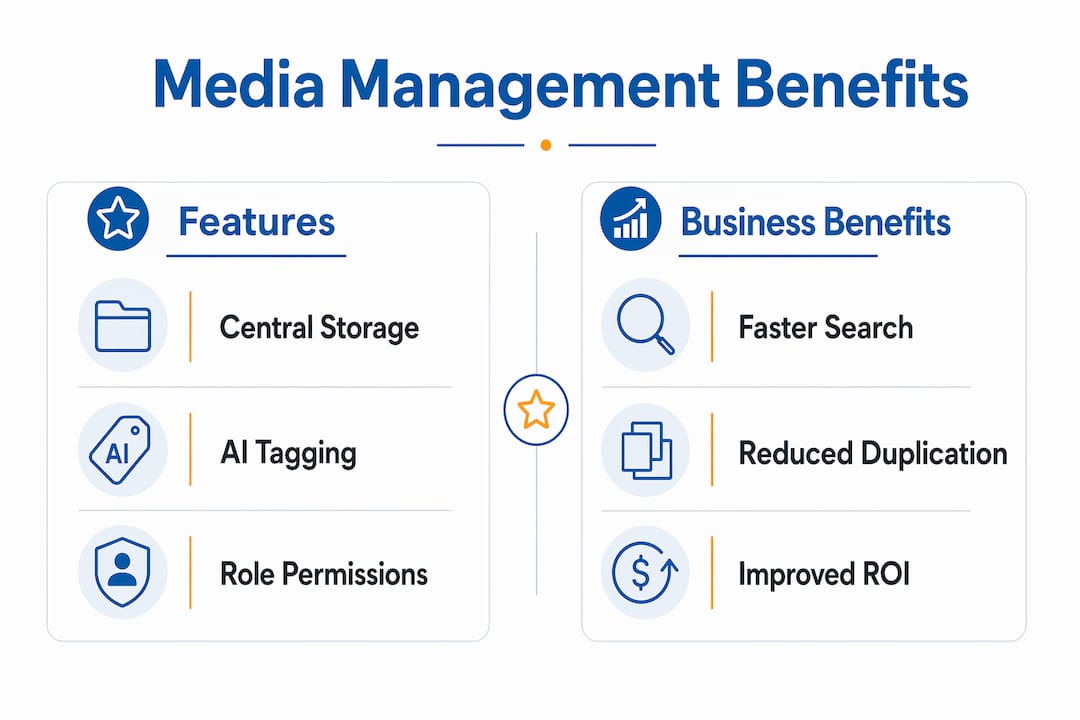
| Analytics Feature | Business Benefit |
|---|---|
| Top downloads tracking | Identifies high-value assets worth repurposing |
| Active user reporting | Measures platform adoption across teams |
| Approval-linked usage | Prevents outdated content from circulating |
| Expiration alerts | Removes rights-expired assets before they create liability |
Pro Tip: Set a quarterly review calendar inside your platform. Use the download and usage data to archive assets that have not been accessed in 90 days. This keeps your library lean and your search results relevant.
How to evaluate ROI and total cost of ownership
ROI for a DAM or MAM investment is more reliable when you build a baseline first, then project benefits over 12–24 months. Razuna recommends the formula ROI = (Total Benefits – Total Costs) / Total Costs × 100 and cautions that year-one costs typically include implementation, migration, and training, which compress early returns.
Start by measuring what you currently waste. Survey your marketing team on how many hours per week they spend searching for files, recreating assets that already exist, or waiting for approvals. Even a conservative estimate of two hours per person per week across a five-person team is 520 hours per year. Assign a dollar value to that time and you have your baseline.
Then build your projection table:
| Cost Category | Year 1 | Year 2 |
|---|---|---|
| Software subscription | $X | $X |
| Implementation and migration | $Y | $0 |
| Training | $Z | Minimal |
| Total Costs | High | Lower |
| Time savings (hours × rate) | Partial | Full |
| Reduced asset recreation | Partial | Full |
| Estimated Net Benefit | Modest | Strong |
ROI projections must include a candid baseline and a 1–2 year forecast because upfront costs are real and simplistic quick-win claims lose credibility with stakeholders. Present the honest year-one picture and the stronger year-two return. Decision-makers respect transparency, and it sets accurate expectations for your team.
Pro Tip: Use team surveys to build your baseline, not guesses. Ask each person to log their asset-related time for one week before you present the business case. Real numbers are far more persuasive than estimates.
Which media management software options best suit SMB teams?
The best media management tools for SMBs fall into three practical categories based on primary use case. Here is how the leading platforms compare:
| Platform | Best For | Key Strengths | Pricing Model |
|---|---|---|---|
| Cloudinary | Image and video at scale | AI tagging, approval workflows, API-first | Usage-based tiers |
| Razuna | Video and audio heavy workflows | Transcription, scene detection, MAM features | $99/TB/month, no per-seat fees |
| Bynder | Brand governance and compliance | Centralized DAM, enterprise permissions, 200+ integrations | Custom enterprise pricing |
| Microsoft (SharePoint) | Teams already in Microsoft 365 | Familiar interface, permissions, document management | Bundled with M365 |
Cloudinary is the strongest choice if your team publishes a high volume of images and videos across web and social channels. Its AI tagging and workflow automation handle large libraries without manual overhead, and its API-first design connects to virtually any publishing stack.
Razuna stands out for SMBs where video is central. Razuna provides AI-powered video analysis, collaboration, and format conversion with a free tier for up to 5 users at 500GB, and its $99/TB/month pricing includes all features with no per-seat fees. That pricing model is genuinely SMB-friendly compared to per-user enterprise platforms.
Bynder suits teams that prioritize brand compliance above all else. Its governance tools and hundreds of integrations make it a strong fit for marketing teams managing multiple brands or agency relationships. The trade-off is cost: Bynder’s pricing is enterprise-oriented and may exceed SMB budgets without negotiation.
For a deeper look at how these platforms fit into a broader digital content marketing strategy, the choice of platform should follow your content volume and team structure, not the other way around.
- Choose Cloudinary if you need API flexibility and AI-powered image and video delivery.
- Choose Razuna if video and audio are your primary asset types and budget is a constraint.
- Choose Bynder if brand governance and partner distribution are your top priorities.
- Choose Microsoft SharePoint if your team is already embedded in the Microsoft 365 ecosystem and your asset types are primarily documents and images.
What i have learned from watching smbs adopt these platforms
Most SMB teams underestimate one thing when they adopt a new asset management platform: metadata design. They spend weeks evaluating features and pricing, then launch with a folder structure that mirrors their old shared drive. Within three months, search results are unreliable, AI tagging is inconsistent, and adoption drops.
Metadata and permissions must be aligned with real team roles, specifically marketer, designer, partner, and approver, before you go live. This is not a technical task. It is a workflow conversation. Sit down with each role and ask: “What words would you type to find the asset you need?” Build your taxonomy from those answers.
The second mistake I see consistently is skipping the transcription pilot. Teams with large video libraries assume the AI will handle everything accurately. Video search quality depends heavily on transcription accuracy, and industry-specific terms, product names, and accented speech all create gaps. A two-week pilot with representative samples catches these problems before they scale.
The teams that get the fastest ROI are the ones who connect their analytics to content governance from day one. They set expiration rules, review download data monthly, and retire assets that are no longer performing. Their libraries stay clean, their search results stay accurate, and their teams stay in the platform because it actually works.
My honest recommendation: start with a platform that has prebuilt integrations for the tools you already use. The best platform is the one your team will actually adopt, not the one with the longest feature list.
— Go
How Goonlinenow helps smbs get more from their content
Once your assets are organized and your content is ready to publish, the next challenge is getting it in front of the right people at the right time. That is where marketing automation becomes the multiplier.
Goonlinenow combines marketing automation for SMBs with CRM, email, SMS, and funnel tools in one affordable platform. When your media management system feeds approved assets into your campaigns, and your automation handles delivery and follow-up, you close the loop between content creation and conversion. Goonlinenow clients report proven ROI gains from integrated platforms, with up to 85% more conversions and 75% time saved within 90 days. No contracts, no hidden fees, and done-for-you setup included.
FAQ
What is media management software?
Media management software is a platform that centralizes digital assets including images, videos, and documents into a searchable, governed repository with workflow and analytics tools. It encompasses both digital asset management (DAM) for all file types and media asset management (MAM) for video and audio.
How is DAM different from MAM?
DAM manages all digital file types with a focus on brand governance and search. MAM specializes in video and audio workflows, adding transcription, scene detection, format conversion, and frame-level search capabilities.
What should smbs look for in a media management platform?
SMBs should prioritize centralized storage, AI-powered search, role-based permissions, workflow approvals, and prebuilt integrations with their existing marketing and publishing tools. Pricing models without per-seat fees, like Razuna at $99/TB/month, are often more cost-effective for growing teams.
How do you calculate ROI for a DAM investment?
Use the formula ROI = (Total Benefits – Total Costs) / Total Costs × 100, with a baseline of current time wasted on asset management. Project over 12–24 months because year-one implementation costs reduce early returns.
Can small teams benefit from AI tagging and search?
Yes. AI tagging reduces manual metadata work from day one, regardless of team size. The benefit scales with library size, but even a 500-asset library becomes significantly faster to search when AI handles categorization automatically.