

Organizing your email contact list can feel like sorting a puzzle where every piece matters. For owners in the United States and United Kingdom, a well-managed list is the foundation of effective email marketing that drives real growth. When you structure contacts and segment wisely, each message reaches the right customer at the right time for better engagement and conversion. This guide explains how a quality list and thoughtful segmentation become the engine for affordable, impactful campaigns.
Step 1: Organize Contacts and Create Target Lists
Your email list is only valuable when it’s organized and segmented strategically. This step teaches you how to structure your contacts so every message reaches the right audience at the right time.
Start by understanding what you already have. Pull together all your contact information from different sources like your website, past customers, event attendees, or service inquiries. Don’t worry about perfect data quality yet—you’re just gathering everything in one place first.

Next, organize your email lists systematically by removing duplicates and standardizing how names and emails are formatted. This prevents confusion and ensures your email platform recognizes each contact only once.
Now comes the strategic part: segmentation. Divide your contacts into smaller groups based on what you know about them.
Common segmentation approaches include:
- Purchase history: Customers who bought services, those who inquired but didn’t convert, past clients who could buy again
- Service type: Clients interested in different offerings you provide
- Engagement level: Active subscribers, occasional openers, those who never open emails
- Location or demographics: Customers in specific geographic areas or with particular characteristics
- Stage in the relationship: New leads, regular customers, inactive contacts
Creating segments transforms your email list from a broadcast tool into a precision targeting machine. When you send a message about your salon’s new hair treatment service, you’re only emailing customers who actually use salon services—not your real estate clients.
Before finalizing your target lists, clean out invalid contacts. Remove email addresses that bounce back, unsubscribes, or contacts who haven’t engaged in months. Building quality contact lists means regularly removing dead weight so your sender reputation stays strong.
Verify that your segmentation actually makes sense for your business. A plumber might segment by residential versus commercial clients. A coach might segment by program type or client tenure. Your segments should directly match how you serve different customer groups.
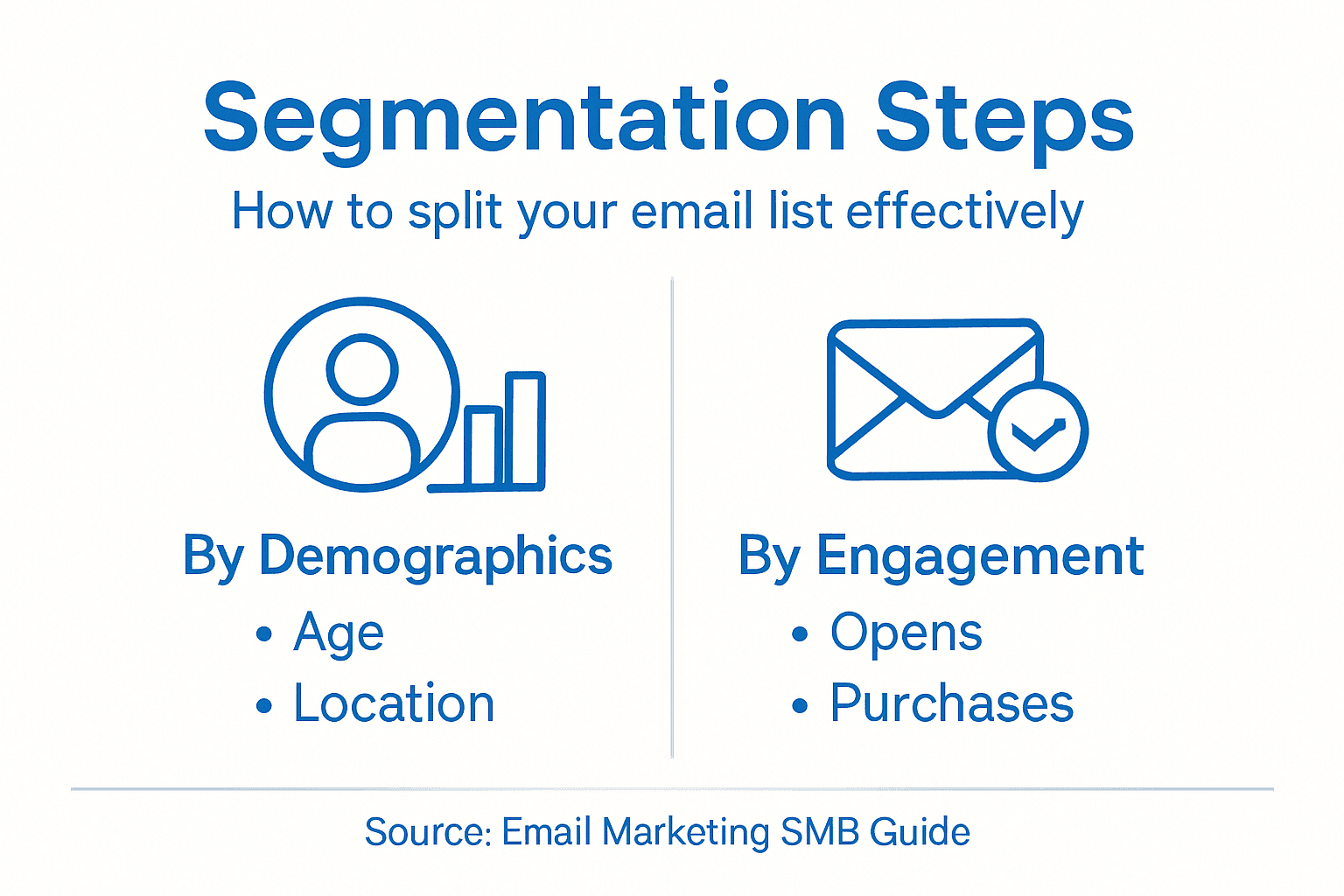
Here’s a comparison of common email list segmentation approaches and how they benefit businesses:
| Segmentation Approach | Main Benefit | Example Use Case |
|---|---|---|
| Purchase history | Targets repeat buyers | Promote new service to past clients |
| Engagement level | Improves relevance | Re-engage inactive subscribers |
| Location or demographics | Localizes content | Offer specials by region |
| Stage of relationship | Nurtures long-term loyalty | Send onboarding to new leads |
High-quality, segmented lists improve engagement because each message feels personally relevant to the recipient.
Test your segments before launching campaigns. Pick one small segment and send them a message. Check your open rates and engagement. If one segment performs much better, you’ve found a winning audience.
Pro tip: Import your existing customer data into your CRM first, then build segments from there rather than trying to organize everything manually in a spreadsheet—you’ll save hours and reduce errors.
Step 2: Design Email Campaigns That Engage Customers
Your email design determines whether customers read your message or hit delete. This step covers how to create visually compelling campaigns that keep readers engaged from subject line to call-to-action.
Start with a mobile-first mindset. Over half of emails open on phones, so your design must look great on small screens first. Test how your campaign appears on iPhone, Android, and desktop before sending anything live.
Keep your layout clean and purposeful. Mobile-first design principles ensure your emails load quickly and display correctly across devices. Avoid cramming too much content into one email—focus on one clear message per campaign.
Personalization transforms generic broadcasts into meaningful messages. Use dynamic content that changes based on what you know about each customer.
Here’s what personalized campaigns might include:
- Customer’s first name in the greeting
- Product recommendations based on past purchases
- Special offers for specific customer segments
- Relevant content matched to their interests or location
Your call-to-action button deserves special attention. Make it bold and impossible to miss by using contrasting colors and strategic placement. A clear CTA increases click-through rates dramatically. Use action-oriented text like “Book Your Appointment” or “Claim Your Discount” instead of generic “Click Here.”
Incorporate visual design elements strategically to break up text and guide the reader’s eye. Images, icons, and white space work together to make your email scannable. However, include descriptive alt text for all images in case they don’t load.
Test your campaign with a small segment before sending to your entire list. Check open rates, click rates, and how the design renders across different email clients. What works for your salon customers might differ from what resonates with your coaching clients.
Well-designed emails that feel personally relevant generate higher engagement because readers sense you created the message specifically for them.
Accessibility matters too. Use readable font sizes (at least 14 pixels for body text), sufficient color contrast, and descriptive link text. This ensures customers with visual impairments can still engage with your content.
Pro tip: Use your email platform’s preview or testing tool before hitting send—it shows you exactly how your campaign looks across 50+ email clients and devices, saving you from embarrassing rendering mistakes.
Step 3: Automate Follow-Ups and Drip Workflows
Automation is where email marketing transforms from manual effort into a growth engine. This step teaches you how to set up workflows that nurture leads and keep customers engaged without requiring you to send each message individually.
Start by identifying the key moments when your customers need to hear from you. A new lead might need an initial welcome email, then educational content, then a special offer. A past customer might receive a re-engagement sequence after three months of silence. These moment-based workflows are the backbone of effective automation.
Automating marketing tasks strategically means setting up triggers that launch campaigns automatically. When someone subscribes to your list, a welcome sequence begins immediately. When they click a link in your email, they move to a different nurture path. Triggers respond to customer behavior without your involvement.
Here are the core workflow types every SMB needs:
- Welcome sequences: New subscribers receive 3-5 emails introducing your business and building trust
- Lead nurture drips: Prospects get educational content that moves them closer to becoming customers
- Post-purchase follow-ups: Recent buyers receive onboarding, tips, and upsell opportunities
- Re-engagement campaigns: Inactive contacts get targeted offers to rekindle interest
- Abandoned action sequences: Someone who clicked but didn’t book gets reminded gently
Design each workflow with a clear goal. Decide upfront what success looks like: a booking confirmed, a purchase made, or consistent engagement. This clarity determines which emails you include and when they send.
Map out your workflows before building them. Write down the trigger (what starts the workflow), the sequence of emails, the timing between messages, and the end goal. A simple sketch on paper beats jumping into your email platform without a plan.
Automated workflows convert more customers because they deliver the right message at exactly the right moment, every single time, without human error.
Test each workflow with a small group first. Send it to five trusted customers and ask for feedback. Does the timing feel right? Does each email connect logically to the next one? Refine based on real responses before expanding to your entire list.
Monitor your automation performance continuously. Check open rates, click rates, and conversions for each email in your workflows. If one email underperforms, rewrite it or replace it. Workflows aren’t set it and forget it—they improve over time.
Pro tip: Start with one simple automation workflow rather than building everything at once—a welcome sequence or follow-up after a booking is perfect for your first project.
Step 4: Verify Deliverability and Track Performance
Getting your emails into inboxes matters more than sending them. This step covers how to monitor deliverability and track the metrics that show whether your email marketing is actually working.
Deliverability is the percentage of emails that reach inboxes instead of spam folders. Your sender reputation, content quality, and list hygiene all affect this rate. If your emails aren’t reaching people, nothing else matters.
Start by checking your bounce rate. Hard bounces happen when an email address is invalid or no longer exists. Soft bounces occur when a mailbox is temporarily full. Monitoring bounce rates and engagement metrics helps you identify problems early and maintain a healthy sender reputation.
Track these core performance indicators consistently:
- Open rate: Percentage of recipients who opened your email
- Click rate: Percentage who clicked a link inside
- Bounce rate: Emails that failed to deliver
- Unsubscribe rate: People leaving your list
- Spam complaints: Recipients marking you as spam
Compare your numbers against industry benchmarks. A 25% open rate is excellent for some industries but mediocre for others. Understanding what’s normal for your type of business helps you set realistic goals and spot real problems.
Below is a summary of essential email campaign metrics and why they matter:
| Metric | What It Measures | Why It Matters |
|---|---|---|
| Open rate | Email interest | Reflects subject line appeal |
| Click rate | Call-to-action strength | Shows campaign engagement |
| Bounce rate | Delivery effectiveness | Indicates list quality |
| Unsubscribe rate | Audience satisfaction | Signals content relevance |
Authenticate your sending domain using SPF, DKIM, and DMARC. These technical protocols tell email providers that your messages are legitimate and reduce the chance they land in spam. Your email platform usually guides you through this setup.
Maintain consistent sending patterns. Suddenly sending 10 times more emails than usual triggers spam filters. Grow your sending volume gradually and maintain regular schedules so mailbox providers recognize you as a trusted sender.
Consistent monitoring of performance data transforms your email marketing from guesswork into a data-driven strategy that improves month after month.
Clean your list regularly by removing hard bounces and inactive contacts. Sending to addresses that don’t exist damages your reputation. Contacts who haven’t opened an email in six months drag down your metrics.
Test subject lines, send times, and content variations. A/B testing reveals what actually works for your audience rather than relying on assumptions. Small improvements compound into significant gains.
Pro tip: Set up a monthly performance review where you check your key metrics against the previous month—consistent monitoring catches problems before they become serious.
Supercharge Your Email Marketing with Go Online Now-Connect
If organizing contacts, designing engaging campaigns, and automating follow-ups feels overwhelming, you are not alone. This guide highlights the challenges SMBs face when trying to segment lists, personalize messages, and track performance effectively. Many small business owners struggle with scattered tools and complicated setups that waste valuable time and reduce impact.
Go Online Now-Connect offers a simple, all-in-one marketing automation software designed specifically for growing SMBs. Our platform combines powerful features like email marketing automation, CRM, and lead management in one easy system so you can focus on what matters most—building relationships and growing your business. Unlike expensive and complex platforms, we deliver done-for-you setup and real human support to get your campaigns running faster, smarter, and with better results.
Discover how to turn your email marketing struggles into growth opportunities today. Visit Go Online Now to explore the most affordable, all-in-one marketing automation software and start building automated, personalized campaigns that get opened and clicked. Don’t wait until your competitors outpace you—take control of your email strategy with our proven tools and expert support now. Learn more about our marketing automation software and how it can simplify list segmentation, campaign design, and workflow automation for your small business.
Frequently Asked Questions
How do I start organizing my email list for SMB growth?
To start organizing your email list, gather all your contact information from different sources, such as your website and past customers. Then, remove duplicates and standardize the formatting to create clear segments for targeted campaigns.
What are effective ways to segment my email list?
You can segment your email list by purchase history, engagement level, service type, or customer demographics. For example, if you have a mix of active and inactive subscribers, target them with tailored messages to improve engagement rates.
How can I design an engaging email campaign?
To design an engaging email campaign, focus on a mobile-friendly layout with a clear call-to-action that stands out. Aim to use bold, contrasting colors and keep your content concise; this increases the likelihood that recipients will read and act on your message.
What automation workflows should I set up for email marketing?
Establish key automation workflows, such as welcome sequences for new subscribers and re-engagement campaigns for inactive contacts. By crafting these workflows, you can automatically nurture leads without sending each message manually, improving efficiency and engagement over time.
How can I improve my email deliverability?
Improve your email deliverability by regularly monitoring your bounce rates and sending only to valid addresses. Authenticate your sending domain and maintain consistent sending patterns to build trust with email providers, ensuring your messages reach users’ inboxes.
What metrics should I track to measure email marketing success?
Track essential metrics such as open rates, click rates, bounce rates, and unsubscribe rates to gauge the effectiveness of your email campaigns. Regularly reviewing these metrics allows you to identify areas for improvement and optimize your strategy for better outcomes.