

Small businesses spend 20 hours weekly on manual marketing tasks. That’s half a full-time employee’s workload, gone every single week, just to keep the lights on in your marketing. And here’s the part that stings: most of that time goes to repetitive work that software can handle in seconds. If you’ve assumed that marketing automation is only for big companies with big budgets and dedicated IT teams, this guide is going to change your mind. We’ll break down exactly what each approach means, where each one wins, and how to make the right call for your business.
Key Takeaways
| Point | Details |
|---|---|
| Automation saves time | Automating repetitive marketing tasks frees up hours every week for SMBs. |
| Manual has key uses | Manual marketing is still best for personalized outreach and unique campaigns. |
| Hybrid is effective | Most businesses thrive by automating some tasks and keeping others manual. |
| Affordable solutions exist | User-friendly marketing automation tools now fit SMB budgets and capabilities. |
| Results can be rapid | Many SMBs see measurable gains in efficiency and conversions soon after implementing automation. |
What is marketing automation and what is manual marketing?
Marketing automation means using technology to handle repetitive marketing tasks without you lifting a finger each time. Think of it as setting up a system once and letting it run. Marketing automation uses technology to execute repetitive tasks and track results, from sending a welcome email the moment someone signs up, to following up with a lead three days later if they haven’t responded.
Manual marketing, on the other hand, is the human-driven version. You write each email. You remember to follow up. You post on social media when you get around to it. It’s hands-on, which sounds good until you realize how much of your day it consumes.
Here’s a quick look at what each approach typically covers:
Tasks commonly automated:
- Welcome and follow-up email sequences
- Lead capture and CRM entry
- Appointment reminders and confirmations
- SMS notifications and review requests
- Social media scheduling
Tasks that often stay manual:
- Personalized one-on-one outreach
- Creative strategy and brainstorming
- High-stakes client negotiations
- Unique content creation
You don’t need to automate everything to see results. Even business automation tools designed for beginners can handle your top two or three time-drains and free up hours every week.
Pro Tip: Start by identifying the one task you repeat most often in your marketing. That’s your first automation candidate. Even a single automated follow-up sequence can recover hours of your week.
Key differences: Automation vs manual marketing
Now that you know the definitions, let’s see how they stack up where it matters most for SMBs. The differences go beyond just speed. They affect your accuracy, your ability to scale, and ultimately your bottom line.
Automation can save up to 6 hours per week per employee on average. Across a small team of five, that’s 30 hours recovered every single week. That’s not a small number.

| Factor | Marketing automation | Manual marketing |
|---|---|---|
| Speed | Instant, 24/7 execution | Dependent on staff availability |
| Cost over time | Lower (scales without adding headcount) | Higher (more time = more cost) |
| Error risk | Low (consistent, rule-based) | Higher (human oversight required) |
| Scalability | Handles 10 or 10,000 contacts equally | Slows down as volume grows |
| Personalization | Template-based with dynamic fields | Fully custom per contact |
| Reporting | Automated, real-time dashboards | Manual tracking, often delayed |
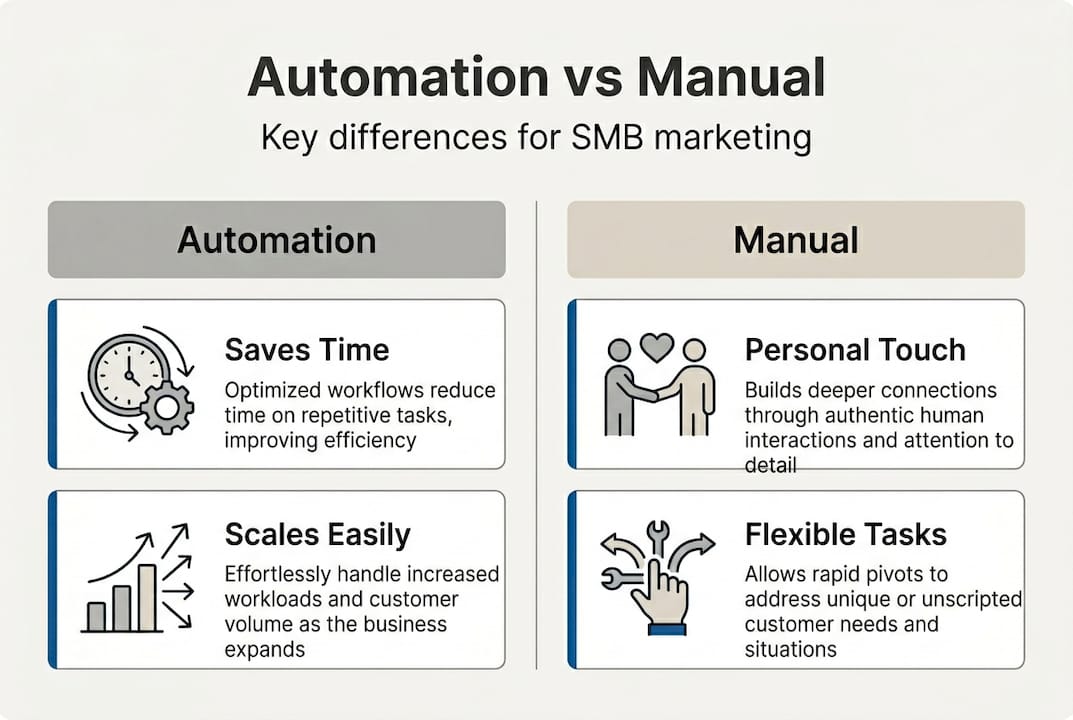
The automated marketing benefits go beyond time savings. Consistency is a big one. When you rely on manual processes, the quality of your follow-up depends on how busy your team is that day. Automation doesn’t have bad days.
Here’s what automation handles well in practice:
- Sending the right message to the right person at the right time
- Tracking opens, clicks, and conversions without spreadsheets
- Scoring leads based on behavior so you focus on the hottest prospects
- Triggering actions based on what a contact does or doesn’t do
For a deeper look at how process automation comparison plays out across different tools, the differences in workflow efficiency are striking. Manual processes simply can’t compete at scale.
Advantages and drawbacks for small to mid-sized businesses
Understanding the differences sets the stage to weigh the real-world pros and cons for growing businesses. Let’s be honest about both sides.
Marketing automation: pros and cons
- Speed and scale: Automation handles hundreds of contacts simultaneously without slowing down.
- 24/7 capability: Your marketing works while you sleep, on weekends, and during holidays.
- Consistency: Every lead gets the same quality experience, every time.
- Data and reporting: You see exactly what’s working without digging through spreadsheets.
- Setup time: Getting started takes effort upfront. You need to map your workflows before they run.
- Learning curve: Some platforms are complex. Choosing the wrong one can cost you time and money.
- Possible over-automation: Sending too many automated messages can feel robotic if not balanced with a human touch.
Manual marketing: pros and cons
- Full control: You decide exactly what goes out, when, and to whom.
- Personal touch: Nothing beats a handwritten note or a truly personalized message.
- Flexibility: You can pivot instantly based on a conversation or a gut feeling.
- Time drain: Manual marketing allows total control but is prone to human error and burnout.
- Inconsistency: Quality drops when your team is stretched thin.
- No scale: You can only do as much as your hours allow.
“The biggest ROI shift we see for SMBs happens when they stop doing manually what a system can do better. Automating your most repetitive tasks first isn’t laziness. It’s strategy.”
For automation for small teams, the sweet spot is using automation for volume and consistency while keeping human effort for relationships and creativity. That balance is where growth happens.
Pro Tip: List every marketing task you do in a week. Highlight anything you do the same way every time. Those are your automation wins. Start there before touching anything that requires judgment or creativity.
Reviewing business automation best practices confirms that the businesses seeing the strongest results aren’t fully automated or fully manual. They’re strategic about the mix.
When should you use automation vs manual marketing?
Knowing the strengths and weaknesses helps you make smarter choices. Let’s break down when to use each approach.
Hybrid approaches often yield the best balance of efficiency and personalization for SMBs. The goal isn’t to replace humans. It’s to free them up for the work that actually needs a human.
| Marketing activity | Best approach | Why |
|---|---|---|
| Welcome email sequences | Automate | Consistent, timely, scalable |
| Lead follow-up (initial) | Automate | Speed matters for conversion |
| High-value client proposals | Manual | Requires judgment and relationship |
| Social media scheduling | Hybrid | Schedule posts, engage manually |
| Review requests | Automate | Timing and volume are key |
| Personalized sales outreach | Manual | One-size-fits-all fails here |
| Monthly newsletters | Hybrid | Template automated, content curated |
Red flags that you’re ready for automation:
- You’re missing follow-ups because you forgot or ran out of time
- Your lead response time is longer than 5 minutes
- You’re sending the same email manually to multiple people
- Your reporting lives in a spreadsheet you rarely update
Signs to keep it manual for now:
- Your client base is very small and highly relationship-driven
- Your messages require significant customization every single time
- You’re still figuring out your core marketing message
For SMBs making the transition, the key is gradual adoption. Start with one automated workflow, measure the result, then expand. Choosing marketing automation tools that grow with you means you’re not locked into complexity before you’re ready for it.
Case studies: Success stories and lessons learned
Theory is useful, but results are what matter. Here’s how real businesses just like yours put these strategies to work.
Coaching business: A solo business coach was spending 10 hours a week manually sending intake forms, follow-up emails, and appointment reminders. After automating those three workflows, she recovered 8 of those hours. Her client satisfaction scores went up because responses were faster and more consistent.
Real estate agency: A small agency with four agents was losing leads because follow-up was inconsistent. Different agents followed different processes. After implementing an automated lead nurturing sequence, their pipeline became predictable. Businesses that automated lead management saw a 15% increase in conversion rates, and this agency tracked a similar lift within 60 days.
Local salon group: Three salon locations were managing appointment reminders manually. Missed appointments were costing them revenue every week. After automating SMS reminders and review requests, no-show rates dropped and their Google rating climbed from 3.8 to 4.6 within four months.
“Automation didn’t replace our team. It gave them back the time to actually talk to clients instead of chasing admin tasks.”
Lessons learned from these examples:
- Start with the workflow that causes the most pain or lost revenue
- Don’t automate a broken process. Fix it first, then automate it
- Measure before and after so you can see the real impact
- Keep a human touchpoint at key moments, like after a sale or during a complaint
For more on improving business processes through automation, the pattern is consistent: businesses that act on their biggest bottleneck first see the fastest results. Explore automation SMB conversions to see how other small businesses have made the shift.
Elevate your marketing efficiency with Go Online Now
Ready to make your marketing smarter and less stressful? Here’s your next step.
Go Online Now-Connect is built specifically for SMBs that want the power of automation without the price tag or complexity of platforms like HubSpot or Salesforce. You get email, SMS, funnels, lead nurturing, and a full CRM in one place, with done-for-you setup included at no extra cost.
Our team configures your automations and workflows so you don’t have to figure it out alone. Whether you’re just starting out or ready to scale, explore marketing automation for SMBs to see real results from businesses like yours. Want to understand the financial return before you commit? Check out our breakdown of automation software ROI and see exactly what the numbers look like. No contracts, no hidden fees, and real human support every step of the way.
Frequently asked questions
Is marketing automation expensive for small businesses?
Many platforms offer affordable, scalable options designed specifically for SMBs, and most businesses find that automation saves more money than it costs within the first few months.
Which marketing tasks are best left manual?
Highly personalized outreach, unique creative brainstorming, and one-on-one relationship-building are best handled by a real person, not a workflow.
How quickly can I see results from marketing automation?
With a proper setup, many SMBs see improvements in efficiency and conversions within the first one to two months, especially when automating follow-up and lead nurturing first.
Do I need technical skills for automation tools?
Most SMB-friendly automation tools are designed for non-technical users, with drag-and-drop builders and guided setup so you don’t need a developer.
Can I automate just a few activities and keep some manual?
Absolutely. A hybrid automation approach works well for most SMBs, letting you automate your highest-volume tasks while keeping human effort where it counts most.
Recommended
- Marketing Automation vs Manual—What SMBs Gain Most – Go Online Now
- Marketing Automation Software: Boosting SMB Conversions – Go Online Now
- Marketing Automation Software: Transforming SMB Growth – Go Online Now
- Marketing Automation for Small Teams: How to Do More with Less | Go Online Now
- AI Automation for Startups Why Data Quality Beats Tool Selection