

TL;DR:
- A digital marketing strategy presentation is a structured slide deck that effectively communicates goals, tactics, budgets, and success metrics to stakeholders. It should include core sections like executive summary, market analysis, buyer personas, SMART goals, channel strategy, and KPIs, tailored to each audience. Clear visualization, traceability, and a focus on business outcomes are essential for winning stakeholder approval and driving results.
A digital marketing strategy presentation is a structured slide deck that communicates your marketing goals, channel tactics, budget requirements, and success metrics to stakeholders in a single, decision-ready format. In the industry, this is often called a marketing plan presentation or strategy deck, and the terms are used interchangeably across tools like PowerPoint, Canva, and Google Slides. Whether you are pitching to a CFO, aligning your sales team, or onboarding a new client, a strong digital marketing strategy presentation example gives you a repeatable blueprint that connects every dollar requested to a measurable outcome. This article breaks down exactly what to include, how to structure it, and how real SMBs have used it to win approval and drive results.
What does a digital marketing strategy presentation example include?
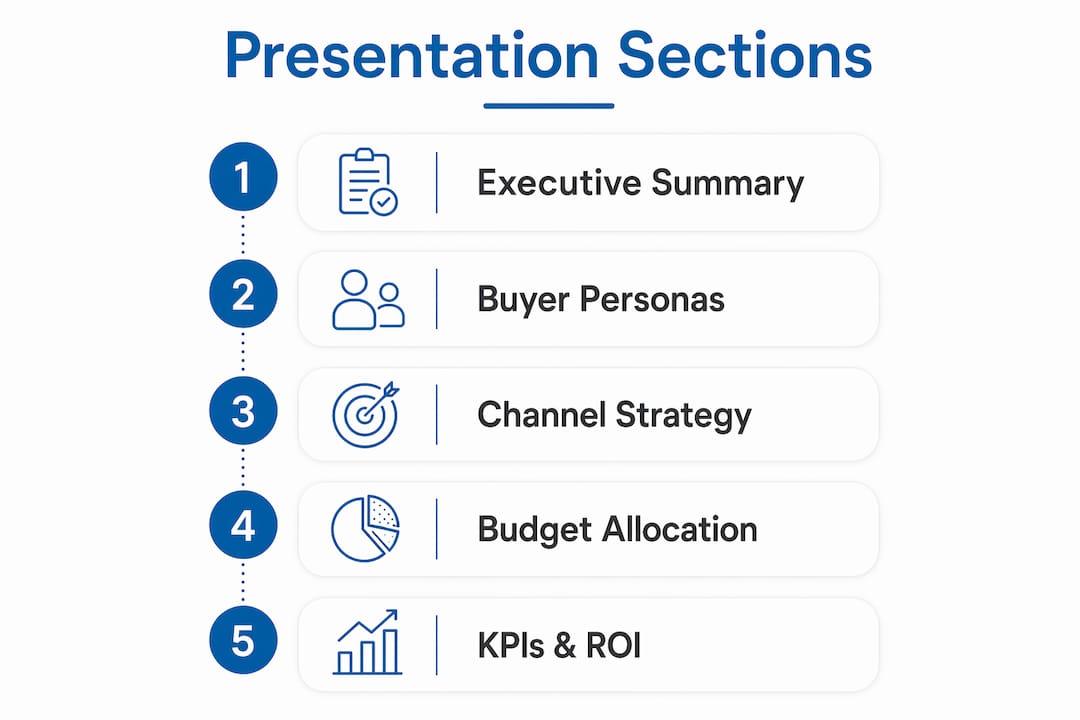
The most effective presentations follow a consistent structure that moves from context to commitment. According to TeamGantt’s marketing templates, a complete digital marketing strategy presentation should include these core sections in order:
- Executive summary: One to two slides covering your primary business goal, total budget request, and expected ROI. This is what executives read if they read nothing else.
- Market analysis: Current market size, growth trends, and the competitive environment your business operates in.
- Buyer personas: Named, specific profiles of your ideal customers with demographics, pain points, and preferred channels.
- Competitor analysis and SWOT: A side-by-side view of where you stand versus two or three named competitors, with honest strengths and gaps identified.
- SMART goals: Goals that are specific, measurable, achievable, relevant, and time-bound. “Increase qualified leads by 40% in Q3” beats “grow our audience.”
- Channel strategy and budget allocation: Which channels you will use, why, and how much each receives.
- Implementation timeline: A Gantt chart or milestone table showing what launches when.
- KPIs and reporting cadence: The exact metrics you will track and how often you will report them.
- Next steps and approval request: A clear ask. Never end a presentation without one.
Each section serves a specific audience need. The executive summary serves the CFO. The buyer personas serve the sales leader. The KPI section serves the CEO who wants accountability. Building the deck with those readers in mind is what separates a presentation that gets approved from one that gets tabled.
Professionele tip: Use a digital marketing plan template from Adobe or TeamGantt as your starting frame. Both offer free, customizable versions that already follow this structure, so you spend your time on strategy rather than slide design.
Here is a reference table showing how each section maps to its primary stakeholder concern:
| Presentation section | Primary stakeholder | Core question answered |
|---|---|---|
| Executive summary | CFO, CEO | What are we getting for this investment? |
| Market analysis | CEO, board | Is the market opportunity real? |
| Buyer personas | Sales, marketing | Who exactly are we targeting? |
| SMART-doelen | CEO, marketing lead | How will we know if this worked? |
| Channel strategy | Marketing team | Where and how will we show up? |
| Budget allocation | CFO | How is the money being spent? |
| KPIs and reporting | All stakeholders | How will we track progress? |
| Next steps | Decision makers | What do you need from us today? |
How to structure and visualize your slides for clarity and impact

Executives decide quickly. Surface conclusions first and connect every dollar requested to expected return rather than leading with tactics. That single principle changes how most SMB owners structure their decks.
Start slide one with the outcome, not the backstory. A slide that opens with “We are requesting a 12% budget increase to generate $480,000 in new revenue at a 4:1 ROI” is more compelling than three slides of market context. You can provide the supporting data immediately after, but the conclusion must come first.
For budget and timeline slides, tables and charts outperform bullet points every time. A simple three-column table showing channel, budget, and expected return communicates more in ten seconds than a paragraph of explanation. Timelines work best as Gantt-style visuals where each campaign phase is visible at a glance.
Professionele tip: Map every channel in your strategy to a specific funnel stage and KPI. A channel-to-funnel mapping prevents your presentation from reading like a disconnected list of tactics and gives stakeholders a clear line of sight from spend to outcome.
Here is a comparison of two common slide approaches for budget allocation:
| Benadering | What it shows | Stakeholder reaction |
|---|---|---|
| Bullet list of channels | Channel names and rough percentages | Unclear, hard to evaluate |
| Table with channel, budget, funnel stage, and KPI | Full traceability from spend to outcome | Confident, approval-ready |
On visual design, keep text to a minimum on each slide. One claim per slide, supported by one visual or one data point, is the standard used by high-performing marketing teams. Tools like Canva, Beautiful.ai, and Google Slides all offer pre-built marketing deck templates that enforce this discipline by design. AI-powered tools like PopAi can generate a full draft deck from a brief, which is useful for iterating quickly across different stakeholder versions.
Avoid jargon on slides. Replace “omnichannel attribution modeling” with “tracking which ads drove which sales.” Your audience is smart, but they are not necessarily fluent in marketing terminology, and clarity always wins over sophistication.
What are real-world presentation examples and templates for SMBs?
The best way to understand what a strong deck looks like is to study one that worked. MTR, Hong Kong’s rail operator, ran a WeChat Pay mini-program campaign for a duty-free tenant that delivered 2,470% ROI over a three-month period from January to April 2025. The campaign used a 10% coupon redemption mechanism and tracked online-to-offline conversions precisely. That level of specificity is exactly what makes a case study slide credible with executives.
“Including the exact campaign timeframe and conversion mechanism strengthens case study credibility in marketing presentations. It shows precision in attribution from digital campaigns to measurable revenue.” — The Drum
For budget proposal slides, a well-structured 2026 annual marketing budget example from PopAi shows how to request an 8% budget increase while projecting 35% revenue growth and a 5:1 ROI. The channel allocation in that example breaks down as follows:
| Kanaal | Budget allocation | Primary purpose |
|---|---|---|
| SEM (paid search) | 30% | High-intent demand capture |
| Sociale media | 25% | Awareness and retargeting |
| Display advertising | 20% | Brand reach and remarketing |
| Video | 15% | Engagement and storytelling |
| AI optimization tools | 10% | Performance improvement |
This kind of table belongs on a single slide in your deck. It tells the full budget story in under five seconds.
For templates, Adobe’s marketing plan resources and TeamGantt both offer free, customizable decks built for SMBs. Adobe’s templates are particularly strong for visual-heavy presentations, while TeamGantt’s strength is in timeline and project planning slides. Both reduce the time and cost of building from scratch and help align teams around a shared document.
When adapting any template to your business, replace the placeholder goals with your actual SMART targets, swap the sample personas with your real buyer profiles, and update the channel mix to reflect where your customers actually spend time. A small business digital marketing plan for a local salon looks very different from one for a B2B software company, even if both use the same template structure.
Professionele tip: When presenting a case study in your deck, always include the specific campaign dates, the conversion mechanism used, and the attribution method. Vague claims like “we saw great results” lose credibility instantly. Specific claims like “10% coupon redemption tracked via WeChat Pay over 90 days” build it.
How to present your digital marketing strategy to win stakeholder approval
Winning approval is about messaging as much as it is about strategy. CFOs prioritize ROI math, CEOs want strategic alignment, and sales leaders want lead numbers. Your presentation needs to satisfy all three without becoming three separate decks.
Here is a proven sequence for structuring your delivery:
- Open with the outcome. State what the plan achieves in one sentence. “This plan targets $600,000 in new revenue from a $120,000 investment over 12 months.”
- Show the math. Walk through the budget-to-revenue calculation clearly. Avoid assumptions that are not explained.
- Present the channel strategy. Explain which channels you are using and why each one is right for your audience and funnel stage.
- Address execution risks. Name the two or three things that could go wrong and explain how you will mitigate them. This builds trust with skeptical stakeholders.
- Share a relevant case study. One real example with specific numbers is worth ten slides of theory.
- State your KPIs. Tell stakeholders exactly how you will measure success and how often you will report back.
- Make a clear ask. End with a specific approval request, a timeline for a decision, and the next step if approved.
Professionele tip: Prepare two versions of your deck: a full version for the meeting and a two-slide summary for the follow-up email. Executives often make final decisions after the meeting, and a clean summary keeps your proposal top of mind.
Voor effective online marketing strategy examples tailored to SMBs, the pattern is consistent: lead with business outcomes, support with data, and close with a clear next step. The tactics change by industry, but the persuasion structure does not.
What I have learned from years of watching marketing presentations succeed and fail
After reviewing hundreds of marketing decks across SMBs in coaching, real estate, professional services, and e-commerce, the pattern is clear. The presentations that win approval are not the most polished ones. They are the ones where every slide has a traceable line from audience to funnel stage to KPI to budget request. That traceability prevents approval stalls better than any design upgrade ever will.
The most common mistake I see is burying the ROI story on slide fourteen. By then, the CFO has already mentally moved on. Put the return on investment on slide two, right after the executive summary. Let the rest of the deck serve as the evidence for a conclusion the audience already knows.
Simplicity is not a compromise. A one-page digital marketing strategy guide that a non-marketer can follow will outperform a technically complete 40-slide deck that only your team understands. Your job is not to demonstrate how much you know. Your job is to make it easy for decision-makers to say yes.
Rehearse the tough questions, not the slides. Questions like “What happens if paid search underperforms?” or “How does this compare to what we spent last year?” will come up. Having a confident, specific answer ready is what separates presenters who get budget from those who get asked to “come back with more data.”
— Go
Ready to execute your digital marketing strategy with the right tools?
Building a strong presentation is only the first step. Executing the strategy behind it requires the right platform to coordinate campaigns, track ROI, and report results without spending hours on manual work.
Goonlinenow is built for exactly this. The platform combines marketing automation for SMBs with an all-in-one CRM, email and SMS campaigns, funnel management, and real-time reporting, all in one affordable system with no contracts and no hidden fees. You get the tools to run the strategy you just presented, plus a team that sets everything up for you. If you want to see how automation translates your marketing plan into measurable ROI gains, Goonlinenow is the place to start.
Veelgestelde vragen
What is a digital marketing strategy presentation?
A digital marketing strategy presentation is a structured slide deck that communicates your marketing goals, budget, channel tactics, and KPIs to stakeholders. It typically includes an executive summary, buyer personas, competitor analysis, SMART goals, and a budget allocation table.
What should I include in a marketing strategy PPT example?
A strong marketing strategy PPT example includes an executive summary, market and competitor analysis, SMART goals, channel strategy with budget breakdown, a Gantt-style implementation timeline, and a clear KPI reporting plan, as outlined in TeamGantt’s digital marketing templates.
How do I present a marketing strategy to get stakeholder buy-in?
Open with the business outcome and ROI math, not tactics. Stakeholders prioritize revenue growth, strategic alignment, and lead numbers, so structure your presentation to answer those questions first and support them with data and a relevant case study.
How long should a digital marketing strategy presentation be?
Most effective presentations run between 10 and 15 slides. An executive summary, three to four strategy slides, a budget table, a timeline, a KPIs slide, and a next-steps slide cover everything decision-makers need without overwhelming them.
Where can I find free digital marketing plan templates?
Adobe and TeamGantt both offer free, customizable digital marketing plan templates suited for SMBs. Adobe’s templates favor visual-heavy decks, while TeamGantt excels at timeline and project planning slides. You can also explore marketing metrics guidance to ensure your KPI slides reflect the metrics that matter most in 2026.