

Most American and Canadian service businesses lose dozens of hours each month on repetitive tasks that could be automated with the right tools. For owners and managers, these wasted hours mean less time for clients and slower growth. By learning how to assess automation needs and implement simple software, you can eliminate manual busywork and reclaim valuable resources. Discover how practical automation can help your business save time, reduce mistakes, and create better engagement without breaking your budget.
Step 1: Assess automation needs for business processes
Understanding your unique automation requirements starts with a strategic analysis of your current business workflows. The goal is identifying processes that can be streamlined using systematic process evaluation techniques.
Begin by mapping out your existing business processes and conducting a thorough assessment. Look for repetitive tasks that consume significant time and resources. Focus on processes involving manual data entry, customer communication, scheduling, reporting, and administrative work. Pay special attention to tasks that follow predictable patterns or require multiple steps with minimal variation. Document each process meticulously noting the time spent, frequency of execution, and potential bottlenecks.

Next, prioritize automation opportunities by calculating potential return on investment. Evaluate each process based on complexity, potential time savings, and alignment with broader business objectives. Not every process is suitable for automation select those with clear efficiency gains and minimal human intervention requirements.
Pro tip: Create a simple spreadsheet ranking potential automation candidates by their complexity and expected time savings to help prioritize your implementation strategy.
Here’s a quick comparison of common business processes and how automation can create value for each:
| Business Process | Typical Bottleneck | Automation Benefit |
|---|---|---|
| Manual Data Entry | Slow input, prone to errors | Reduces errors, saves time |
| Customer Communication | Delayed responses | Improves speed, ensures timely follow-ups |
| Scheduling | Double bookings, confusion | Automatic scheduling, eliminates conflicts |
| Reporting | Inconsistent, delayed | Real-time, standardized reports |
| Administrative Tasks | Resource-intensive | Frees staff for higher-value activities |
Step 2: Choose the right all-in-one automation software
Selecting the ideal automation software requires a strategic approach that aligns with your business’s unique operational needs. Your goal is finding a solution that simplifies workflow and enhances productivity.
Start by carefully evaluating key features that matter most to your business. Look for software that offers comprehensive integration capabilities with your existing tools and systems. Consider workflow customization options, scalability, and user experience. Pay close attention to platforms that provide pre-built workflow templates, robust security measures, and analytics to track automation performance. Assess the software’s ability to streamline repetitive tasks, improve communication, and centralize data management across your organization.
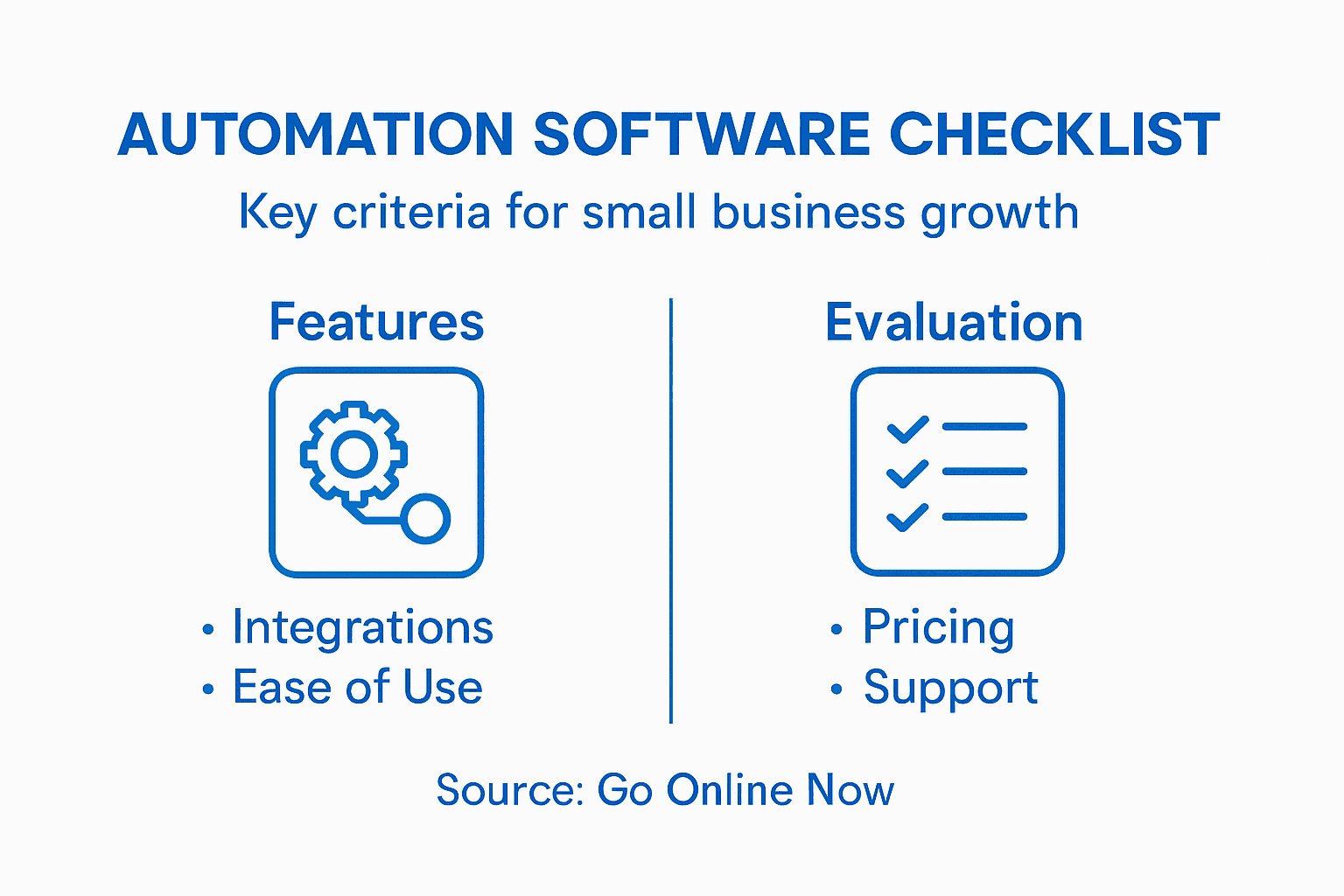
Prioritize solutions that balance functionality with ease of use. Request product demos, read user reviews, and compare pricing models. Ensure the software can grow with your business, offering flexible features that adapt to changing operational requirements. Consider the level of customer support, training resources, and implementation assistance offered by the software provider.
Pro tip: Create a detailed comparison spreadsheet with must have features and scoring criteria to objectively evaluate different automation software options before making a final decision.
Below is a summary of key criteria to consider when selecting all-in-one automation software:
| Criteria | Why It Matters | Tip for Evaluation |
|---|---|---|
| Integration Capabilities | Ensures smooth system connectivity | Check compatibility with current apps |
| Workflow Customization | Adapts to unique business processes | Request a demo to test flexibility |
| Scalability | Supports business growth | Evaluate upgrade options |
| Analytics & Reporting | Tracks automation effectiveness | Review dashboard and visualization |
| Security Features | Protects sensitive business data | Verify compliance certifications |
Step 3: Set up marketing campaigns and lead management tools
Successfully setting up marketing campaigns and lead management tools requires a strategic approach that transforms your business outreach. Your objective is to create targeted marketing strategies aligned with business goals.
Begin by defining clear marketing objectives and identifying your ideal customer personas. Segment your audience based on demographics, behaviors, and potential engagement levels. Design personalized content that speaks directly to each segment’s specific needs and pain points. Configure your lead management tools to capture essential contact information, track interaction history, and automatically score leads based on their engagement and potential value. Implement multi channel marketing workflows that connect email, social media, and website interactions to create a comprehensive view of your customer journey.
Next, establish robust tracking and analytics mechanisms to monitor campaign performance. Set up key performance indicators that measure conversion rates, engagement metrics, and return on investment. Integrate your marketing automation platform with customer relationship management systems to ensure seamless data flow and comprehensive insights. Configure automated follow up sequences that nurture leads through personalized communication pathways, helping transform potential prospects into loyal customers.
Pro tip: Start with a small pilot campaign to test and refine your marketing automation approach before rolling out full scale implementations.
Step 4: Integrate CRM to streamline communication
Streamlining communication through CRM integration is a transformative process that connects your entire business ecosystem. Your mission is to enhance operational efficiency through intelligent CRM strategies.
Start by evaluating your current communication workflows and identifying key interaction points across different departments. Map out how customer information currently moves through your organization and pinpoint areas where manual data entry or communication gaps exist. Configure your CRM to centralize contact information, interaction history, and communication preferences. Set up automated communication triggers that send personalized messages based on specific customer behaviors or milestones. Implement communication routing rules that ensure inquiries reach the most appropriate team member quickly and efficiently.
Focus on creating a unified communication framework that provides a seamless experience for both your team and customers. Integrate communication channels such as email, phone, social media, and live chat into a single dashboard. Establish clear protocols for tracking and responding to customer interactions, ensuring no communication falls through the cracks. Use your CRM analytics to monitor response times, communication effectiveness, and customer satisfaction metrics to continuously improve your approach.
Pro tip: Conduct regular team training sessions to ensure everyone understands how to maximize the CRM communication tools and maintain consistent interaction standards.
Step 5: Verify automation efficiency and optimize workflows
Evaluating and improving your automation strategies requires a systematic approach to measuring performance and identifying opportunities for enhancement. Your goal is to track automation efficiency through precise performance metrics.
Begin by establishing clear key performance indicators for each automated workflow. Measure critical metrics such as processing time, error rates, cost savings, and overall operational throughput. Use analytics dashboards to visualize performance data and identify bottlenecks or inefficiencies in your current automation processes. Compare the performance of automated workflows against manual processes to quantify improvements. Collect feedback from team members who interact with these automated systems to understand real world implementation challenges and potential refinement areas.
Implement a continuous improvement cycle that involves regular workflow audits and iterative optimization. Schedule quarterly reviews of your automation performance, using data driven insights to make incremental adjustments. Prioritize workflows that show the most significant potential for enhancement, focusing on reducing manual interventions, minimizing processing times, and improving accuracy. Consider adopting lean methodology principles to systematically eliminate waste and streamline your automated processes.
Pro tip: Create a standardized evaluation template with predefined performance metrics to ensure consistent and objective assessment of your automation workflows.
Accelerate Your Small Business Growth with Smarter Automation
If you are ready to leave behind the frustrations of scattered tools and complex setups from manual workflows and seek a simpler way to harness automation, we understand your challenge. The article highlights the importance of choosing the right all-in-one automation software and streamlining processes through integration and continuous optimization. Common pain points include repetitive manual tasks, disconnected systems, and inefficient lead management — obstacles that slow down your growth.
At Go Online Now, we offer an affordable and straightforward solution built specifically for small businesses like yours. Our platform combines marketing automation software, a unified CRM, and expert digital marketing services to reduce errors, automate follow-ups, and centralize customer communication. We empower you to save time, increase conversions, and scale your operations without the hassle usually associated with big platforms. Discover how you can implement proven strategies directly aligned with the article’s steps by exploring our Automation Archives and Digital Marketing Archives.
Stop wasting time on complicated systems or over-priced tools. Take control today with a solution designed to grow smarter and faster. Visit Go Online Now now to learn how we can help you automate essential workflows and boost your business efficiency with real human support and done-for-you setup included.
Frequently Asked Questions
How can I identify the best processes to automate in my small business?
To identify the best processes for automation, start by mapping out your current business workflows and noting repetitive tasks that consume a lot of time and resources. Focus on manual data entry, customer communication, and administrative work, then document the time spent and any bottlenecks to prioritize which processes to automate first.
What features should I look for in automation software for my small business?
When choosing automation software, prioritize features such as integration capabilities, workflow customization, scalability, and user-friendly interfaces. Evaluate solutions by requesting demos and comparing pricing to ensure they meet your operational needs effectively.
How do I set up effective marketing automation campaigns?
To set up effective marketing automation campaigns, define clear marketing objectives and segment your audience based on demographics and behaviors. Create personalized content for each segment and implement automated workflows that capture leads and nurture them through targeted communication, enhancing engagement.
What metrics should I track to evaluate the efficiency of my automated workflows?
Track key performance indicators such as processing time, error rates, and cost savings to evaluate the efficiency of your automated workflows. By analyzing these metrics, you can identify areas for improvement and make data-driven adjustments to optimize performance.
How can I ensure effective communication across my team using a CRM?
To ensure effective communication, integrate your CRM with all channels your team uses, such as email and live chat, to create a unified communication framework. Set up automated triggers for personalized messages and establish clear protocols for tracking customer interactions to enhance team responsiveness and customer satisfaction.
Recommended
- Automation for SMBs: Boost Efficiency and Streamline Operations – Go Online Now
- Why Small and Midsized Businesses Need Marketing Automation in 2024 – Go Online Now
- Understanding the Small Business Marketing Automation Process – Go Online Now
- Understanding Digital Growth Strategies for SMBs – Go Online Now
- Why Enhance Prospecting Workflows: Complete Guide