Automating customer communication could boost conversions by up to 85% in just three months. For small and mid-sized businesses struggling to keep up with customer demands, automation transforms how you engage, nurture, and convert leads without burning out your team. This guide explains how automation drives SMB growth efficiently and affordably, clearing up common myths and showing you exactly how to implement it.
Key takeaways
| Point | Details |
|---|---|
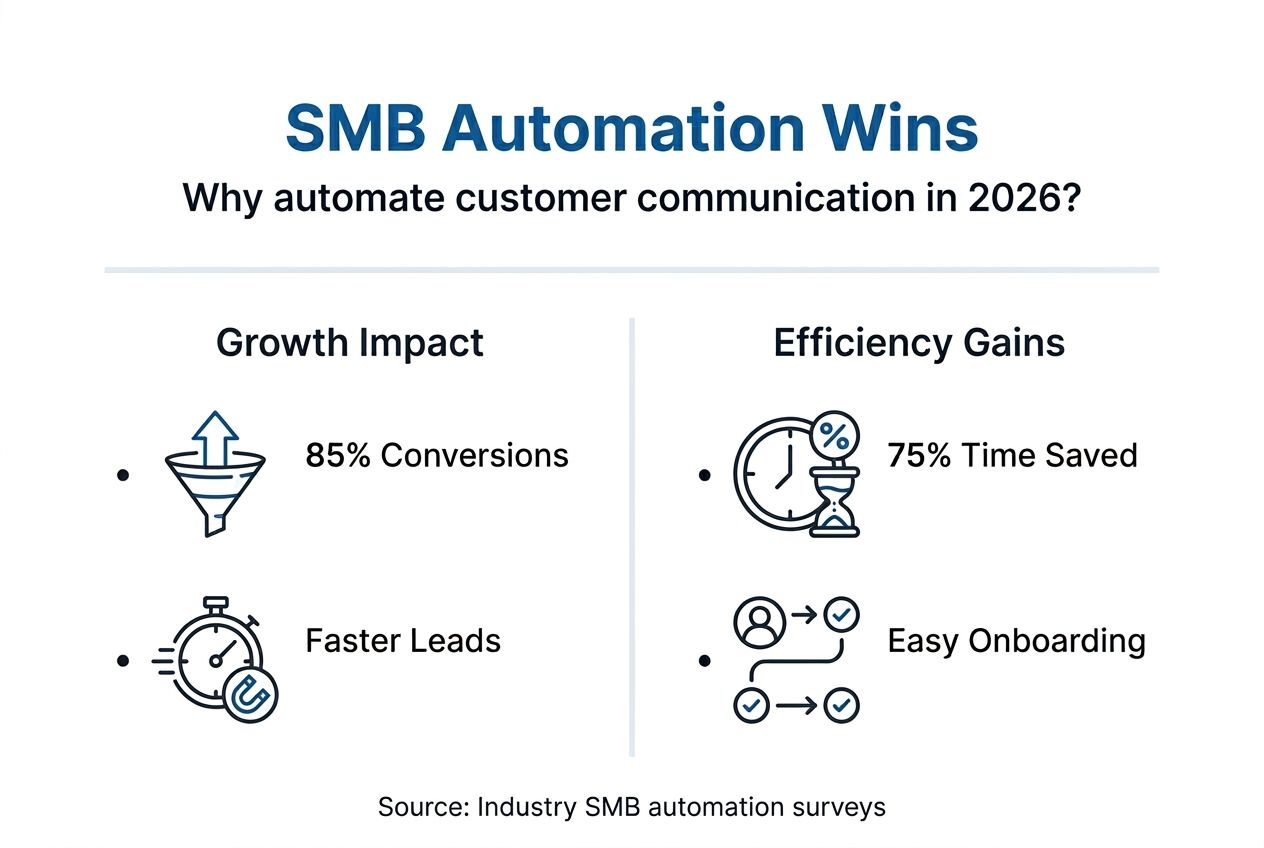
| Conversion boost | Automation can increase SMB conversions by up to 85% through timely, relevant messaging. |
| Time savings | Automation saves around 75% of time spent on manual customer communication tasks. |
| Personalization myth | Automated messaging actually enhances personalization through segmentation and behavior triggers. |
| Simple solutions | All-in-one platforms fit SMB needs better than complex enterprise tools. |
| Retention impact | Automated follow-ups reduce customer churn by approximately 50%. |
Understanding customer communication automation
Customer communication automation uses technology to handle interactions like emails, SMS, social media messages, and appointment reminders without manual effort. For SMBs competing in crowded markets, maintaining timely and consistent communication separates winners from those who lose customers to faster competitors.
Most SMBs struggle with timely, personalized communication due to limited resources and fragmented tools. Manual communication creates several painful bottlenecks:
- Missed follow-ups when leads go cold because your team forgets or runs out of time
- Inconsistent messaging across different team members or communication channels
- Inability to scale personalized outreach as your customer base grows
- Hours wasted copying, pasting, and sending repetitive messages
Automation solves these challenges by triggering the right message to the right person at the perfect moment. Your marketing automation step-by-step guide shows how simple setups can replace hours of manual work with intelligent, automated workflows that run 24/7.
Why automate customer communication? Quantified benefits
The numbers tell a compelling story. Automation can lead to up to 85% increase in conversions and 75% savings in communication time. These aren’t theoretical gains but real results SMBs achieve within 90 days of implementation.

Here’s how automation impacts your bottom line:
| Metric | Manual approach | Automated approach | Improvement |
|---|---|---|---|
| Lead response time | 24-48 hours | Under 2 minutes | 95% faster |
| Follow-up consistency | 30-40% of leads | 98% of leads | 145% increase |
| Conversion rate | 2-3% average | 4-6% average | 85% boost |
| Time spent per lead | 15-20 minutes | 2-3 minutes | 75% savings |
Three specific benefits transform SMB operations:
- Conversion uplift: Automated responses reach prospects while they’re still hot, dramatically improving close rates
- Time recapture: Your team stops writing the same emails and can focus on high-value activities like closing deals
- Churn prevention: Automation reduces missed follow-ups and customer churn by approximately 50% through systematic nurture sequences
Pro Tip: Start by automating your three most repetitive communication tasks. Track time saved in the first month to build your business case for expanding automation.
The customer engagement automation benefits extend beyond immediate sales. Automated communication builds trust through consistency, demonstrating reliability that manual processes can’t match at scale.
Common misconceptions about customer communication automation
Three persistent myths prevent SMBs from adopting automation, despite overwhelming evidence of its effectiveness. Myths include that automation is too complex, depersonalizes communication, and is expensive for SMBs. Let’s destroy each misconception with facts.
Myth 1: Automation is too technically complex for small teams
Modern SMB-focused tools require zero coding. You’re not building systems from scratch. You’re selecting pre-built templates, customizing messages, and clicking publish. Setup takes hours, not months. The automation software guide for SMBs shows how user-friendly interfaces have become.
Myth 2: Automated messages feel robotic and damage customer relationships
This misconception confuses bad automation with automation itself. Poorly written generic blasts do feel robotic. Behavior-triggered, segmented messages that reference specific customer actions feel incredibly personal. Customers appreciate relevant, timely communication regardless of whether a human or a system sent it.
Myth 3: Only enterprise companies can afford automation platforms
Enterprise platforms like HubSpot or Salesforce cost thousands monthly and require dedicated staff. SMB-specific solutions cost a fraction of that and include done-for-you setup. The real cost isn’t subscription fees but lost revenue from missed opportunities and wasted team time.
Pro Tip: Test automation with one simple workflow like welcome emails or appointment reminders. Once you see results, expand to more complex sequences.
The truth? Automation enhances personalization by letting you segment audiences and trigger messages based on specific behaviors. You can’t manually monitor hundreds of customers and respond instantly to their actions. Systems can.
How automation improves customer engagement and retention
Behavior-triggered messaging transforms how you engage customers by responding to their actions in real time. When someone downloads your guide, visits your pricing page, or abandons a cart, automation sends the perfect follow-up without you lifting a finger.
Automation enables 4 times more personalized communications using segmentation and triggers. Here’s how it works:
- Lead nurturing on autopilot: Drip campaigns educate prospects systematically, moving them from awareness to decision without manual intervention
- Engagement spike from relevance: Messages triggered by specific behaviors get 5-10x higher open and click rates than generic broadcasts
- Retention through systematic touchpoints: Automated check-ins, renewal reminders, and re-engagement campaigns prevent customers from slipping away silently
Compare SMB-friendly platforms against complex enterprise solutions:
| Functie | Enterprise platforms | SMB-focused platforms |
|---|---|---|
| Setup complexity | Weeks to months | Hours to days |
| Monthly cost | $800-3000+ | $97-297 |
| Learning curve | Steep, requires training | Intuitive, self-service |
| Support model | Tiered, often paid | Included human support |
| Feature bloat | Hundreds of unused tools | Essential tools only |
De marketing automation use cases show how simple workflows generate impressive results. A coaching business using automated appointment reminders reduced no-shows by 60%. A salon using birthday campaign automation increased repeat visits by 40%.
Successful automation focuses on three engagement layers: immediate response to inquiries, systematic nurturing of leads, and proactive retention of existing customers. Each layer runs automatically once configured, creating a communication engine that works while you sleep. Review customer engagement automation benefits for specific examples across industries.
Choosing and implementing the right automation tools for SMBs
Implementing automation successfully requires a clear framework, not guesswork. Follow these four steps to select and deploy tools that maximize ROI without overwhelming your team.
Step 1: Identify your top three automation opportunities
Map your customer journey and pinpoint the most painful manual touchpoints. Common high-impact areas include lead response, appointment reminders, follow-up sequences, and re-engagement campaigns. Focus on workflows you repeat daily or weekly.
Step 2: Choose a simple, all-in-one platform
Avoid piecing together separate tools for email, SMS, CRM, and scheduling. Choosing simple, all-in-one automation platforms with done-for-you setup and human support is key for SMB adoption. Look for platforms offering unified contact management, behavior triggers, and multi-channel messaging in one interface.
Step 3: Deploy behavior-triggered workflows
Start with three core automations: welcome sequences for new contacts, nurture campaigns for leads, and re-engagement messages for inactive customers. Use your marketing automation step-by-step guide to configure triggers based on specific actions like form submissions, link clicks, or purchase history.
Step 4: Monitor, test, and optimize continuously
Track open rates, click rates, and conversion metrics for each automated workflow. Test different subject lines, send times, and message content. The marketing automation tips for SMBs emphasize that optimization drives compound improvements over time.
Common pitfalls to avoid: selecting overly complex tools that sit unused, neglecting personalization in automated messages, and failing to segment audiences properly. Many SMBs also make the mistake of automating everything at once instead of starting small and expanding.
External resources like small business guides offer additional perspectives on streamlining operations through smart technology adoption. The key is matching tool complexity to your team’s capabilities while ensuring room for growth.
Enhance your SMB growth with Go Online Now automation
Ready to transform how you communicate with customers? Go Online Now offers simple all-in-one automation tools built specifically for SMB growth, without the complexity or cost of enterprise platforms.
Our platform includes everything you need: email and SMS automation, behavior-triggered workflows, unified CRM, and appointment scheduling in one affordable system. Unlike tools that leave you figuring things out alone, we provide done-for-you setup and real human support to ensure you see results fast.
SMBs using our marketing automation software for SMB conversions report up to 85% conversion increases and 75% time savings within 90 days. Explore our marketing automation software for SMB growth to see exactly how we help businesses like yours scale communication without scaling headcount. Get the complete guide to marketing automation to start your automation journey today.
What are the most common questions about automating customer communication?
What size SMB benefits most from customer communication automation?
Any SMB with more than 50 regular customer contacts benefits immediately from automation. Service businesses like coaching, salons, real estate, and professional services see the fastest ROI because they rely heavily on timely follow-ups and appointment management.
How soon can SMBs expect to see ROI after implementing automation?
Most SMBs see measurable improvements within 30-60 days of launching their first automated workflows. Automation conversion benefits like faster lead response and consistent follow-ups generate immediate results, with full ROI typically achieved in 90 days.
Is automation difficult to learn for teams with limited tech experience?
Modern SMB automation platforms are designed for non-technical users with intuitive drag-and-drop interfaces and pre-built templates. With done-for-you setup and human support, most teams are running effective automations within days, not months.
Can automation truly maintain personalization in customer communication?
Automation actually enhances personalization by enabling behavior-triggered messaging and audience segmentation at scale. You can send messages referencing specific customer actions, preferences, and history automatically, creating more relevant communication than generic manual outreach.
What are simple first steps for SMBs new to automation?
Start by automating your most repetitive task, like welcome emails or appointment reminders. Use the marketing automation software guide to configure one workflow, measure results for 30 days, then expand to additional automations based on what you learn.
Aanbevolen
- Why Automate Customer Engagement? 85% More Conversions – Go Online Now
- Benefits of Automated Marketing for Growing SMBs – Go Online Now
- Marketing Automation Software: Transforming SMB Growth – Go Online Now
- 7 Essential Marketing Automation Tips for 2025 SMB Success – Go Online Now
- Step-by-Step Guide to Import/Export Fabrics for Small Businesses – fabric fabric