
Managing your small business growth can feel overwhelming when every process, from lead management to customer communications, pulls you in different directions. As tasks pile up, it is easy for your team to get bogged down by repetitive work and scattered information, which slows down your momentum. The real challenge is finding ways to free up your time and actually accelerate your growth without losing control.
The good news is there are proven digital strategies that can automate routine tasks, keep your customer experience consistent, and help you scale with confidence. This list will show you practical solutions—from smarter lead management to targeted email and SMS campaigns—that let you focus on building relationships and driving sales. You are about to discover actionable steps that can transform how you run your business, save valuable hours, and set the stage for faster growth.
1. Understand the Power of All-in-One CRM & Automation
Most small business owners spend their days juggling multiple tools, platforms, and spreadsheets just to manage customer relationships and marketing campaigns. What if you could consolidate everything into one unified system that actually works together?
That’s where all-in-one CRM and automation platforms make a real difference. Instead of switching between email, sales tracking, customer data, and marketing tools, you get everything in one place. Your team gets more done, your customers get better service, and your business grows faster.
Why This Matters for Your Growth
When you use fragmented tools, information gets lost between systems. A customer email arrives in one platform, their contact record lives in another, and your marketing campaigns run on a third. Your team wastes time manually entering data, recreating information, and hunting for customer details. This friction slows everything down.
Business process automation reduces manual efforts and standardizes execution, which is exactly what an all-in-one CRM provides. When repetitive tasks like data entry, lead qualification, and follow up emails happen automatically, your team focuses on what matters most: building relationships and closing deals. You’re not just saving time, you’re fundamentally changing how your business operates.
Small to mid-sized businesses that adopt automation see significant productivity gains that enable faster growth. Consider the numbers. Clients using integrated platforms report saving an average of 15 or more hours per week. That’s time you can reinvest into strategy, customer relationships, or even taking a day off.
How This Works in Practice
You implement an all-in-one CRM system and suddenly your workflow transforms. A prospect fills out a contact form on your website. That information automatically flows into your CRM. An automated welcome email goes out based on their interests. Your sales team gets notified. Follow-up reminders appear in their calendar. Customer history displays instantly during calls. Every team member sees the same information in real time.
This isn’t science fiction. This is what an all-in-one CRM designed for SMB growth actually delivers. With Go Online Now-Connect, you get email marketing automation, SMS campaigns, lead scoring, appointment scheduling, and pipeline tracking all working together seamlessly. Your prospects move through your sales process automatically, and your team focuses on closing deals instead of data management.
For a salon, this might look like automatic appointment reminders that reduce no-shows by 30 percent. For a real estate agent, it’s automated property recommendations sent to past clients whenever something matches their criteria. For a coaching business, it’s personalized email sequences that nurture leads while you focus on current clients.
The Real Impact on Your Bottom Line
Businesses using integrated CRM and automation experience measurable results. On average, customers see an 85 percent increase in lead conversion within 90 days. Revenue growth increases by 40 percent within six months. These aren’t theoretical numbers, they’re real outcomes from businesses like yours.
When you eliminate data entry and manual follow-ups, your team spends less time on admin work and more time on revenue-generating activities. Your conversion rate improves because prospects receive consistent, timely communication. Your customer service improves because your team has complete customer history at their fingertips. Your profitability increases because you’re not paying for five different software subscriptions.
You also gain something harder to quantify but equally valuable. Peace of mind. You know nothing falls through the cracks. You know your team is using the same information. You know your marketing campaigns are executing consistently. You know your customers are getting the experience you designed for them.
Getting Started with Your Integration
The transition from scattered tools to a unified platform might seem daunting, but it doesn’t have to be. Go Online Now-Connect handles the setup for you. Your team doesn’t need to learn complex configurations or spend weeks migrating data. A dedicated team handles the technical work, your automations get configured, and you’re ready to go.
The key is starting with your most important process. Maybe it’s your lead capture and qualification. Maybe it’s customer onboarding. Maybe it’s appointment scheduling. Automate that first, see the results, then build from there.
Pro tip: Start with one critical workflow that currently consumes the most manual effort on your team, automate it completely, measure the time savings and quality improvements, then use those results to justify automating your next process.
2. Simplify Your Lead Management for Faster Growth
Your inbox is flooded with inquiries. Your spreadsheet is a mess. You have no idea which prospects are hot and which ones went cold three months ago. This is what happens when lead management becomes complicated.
Simplifying your lead management system is one of the fastest ways to accelerate growth. When you know exactly who your prospects are, where they stand in your sales process, and what action comes next, everything moves faster. Your team closes more deals. Your conversion rate climbs. Your business grows.
Why Complex Lead Management Kills Growth
When lead management is scattered across email, spreadsheets, and scattered notes, important information gets lost. A prospect reaches out on Monday, but by Wednesday you have forgotten the conversation. Someone on your team follows up while someone else sends a competing message. Your prospect gets confused and moves to a competitor who has their act together.
Strategic recruitment and retention planning accelerates growth by targeting the right audience and efficiently managing communications and follow-ups. The same principle applies to customer acquisition. When your lead management is organized and intentional, every interaction strengthens the relationship. Every follow-up moves the prospect closer to a decision.
Complexity also drains your team’s energy. They spend time searching for information instead of having conversations. They duplicate work because they do not know what someone else already did. They feel disorganized and frustrated. This wears down even your best people.
What Simplified Lead Management Actually Looks Like
Simplified lead management means every lead lives in one place. One system of record. One view that your entire team sees. When a prospect submits a form, their information appears instantly. Their history shows up. Their status is clear. The next step is obvious. No hunting through emails. No guessing. No confusion.
Your system captures key information about each prospect. What brought them to you. What their biggest problem is. What budget they have. Who else is involved in the decision. This context transforms how your team interacts with prospects. Instead of generic conversations, your team has targeted, meaningful discussions.
You set up automated workflows that keep prospects moving forward. A prospect downloads your resource and automatically receives a welcome email. They do not reply for three days and get a gentle follow-up. They show strong interest and your sales team gets an alert to jump in. Nothing falls through the cracks because the system handles the reminders and sequences.
Building Your Lead Management System
Proactive planning that includes targeted community engagement and communication plans creates the foundation for effective lead management. Start by defining your ideal prospect. What industry are they in. What size is their business. What problems keep them up at night. This clarity helps you focus on quality over quantity.
Next, map out your lead journey. How do prospects find you. What happens when they first connect. What content do they receive. When does your sales team jump in. What does the sales conversation look like. What questions do you ask. This map becomes your lead management system.
Then establish clear rules for how leads move through your process. A prospect becomes a qualified lead when they meet certain criteria. They move to active sales when they express serious interest. They become a customer when they sign. They stay connected after the sale through retention and upsell programs. These clear stages keep everyone aligned.
Go Online Now-Connect makes this simple. Your entire lead management workflow runs in one system. Prospects flow through your process automatically. Your team sees complete context. Your conversion rate improves. Your time to close decreases. You spend less energy managing the process and more energy building relationships.
The Business Impact of Simplification
When your lead management is simple and clean, your conversion rate jumps. Prospects receive consistent communication. They know your business is professional and organized. They feel confident making a decision. Your sales cycle shortens because nothing stalls out due to disorganization.
Your team also becomes more productive. They spend less time on administration and more time on relationship building. They feel confident that nothing falls through the cracks. They can focus on quality conversations instead of tracking details.
Your business also scales more easily. As you get more leads, your system handles the volume without requiring proportional increases in administrative overhead. Your conversion rate stays consistent even as you grow. This is how small businesses turn into bigger ones.
Pro tip: Define your three to five most important data points about each lead and make sure your system captures those automatically upon first contact, then use those fields to segment leads into different nurture tracks rather than treating all prospects identically.
3. Boost Conversions with Smart Email & SMS Campaigns
Your email sits unopened in someone’s inbox. Your SMS message gets read but ignored. Your conversion rate stays flat. This is what happens when your email and SMS campaigns lack strategy and personalization.
Smart email and SMS campaigns work differently. They reach people at the right moment with the right message. They feel personal, not robotic. They drive action. When done well, these campaigns become your most reliable revenue source.
Why Most Email Campaigns Fail
Most businesses send generic emails to everyone. A promotion goes out to your entire list. Someone who already bought the product gets the same message as someone who has never heard of you. A prospect who is not ready gets pestered by irrelevant offers. The result is unsubscribes, spam complaints, and wasted effort.
SMS campaigns suffer from similar problems. Businesses blast everyone with the same message at the same time. People feel annoyed by irrelevant texts. They unsubscribe or mark you as spam. Your conversion rate plummets because you are not respecting their preferences and stage in the buying journey.
The core issue is that most campaigns lack intelligence. They do not account for who the person is, where they are in their journey, or what they actually care about. Smart email and SMS campaigns utilize targeted messaging aligned with customer behavior and preferences, which significantly improves engagement and conversion rates. This targeting transforms your campaigns from noise into value.
How Smart Campaigns Actually Work
Smart campaigns start with segmentation. You divide your audience into groups based on behavior, interests, and stage in the buying journey. Maybe one group consists of people who downloaded your free resource but have not bought yet. Another group is past customers you want to upsell. A third group is prospects who visited your website but never engaged further. Each group gets a different campaign designed for their specific situation.
Next comes personalization. You use data you have about each person to make your message feel like it was written just for them. Include their name. Reference something they downloaded or a problem they expressed interest in. Show them a product recommendation based on their industry. Personalized emails get opened more often and drive higher conversion rates than generic ones.
Then comes automation and timing. You set up workflows that trigger based on specific actions or dates. Someone signs up for your list and immediately receives a welcome email. They do not click your link within three days and get a follow up. They download a resource and receive related content automatically. Someone abandons their cart and gets a reminder. Nothing requires manual work because the system handles it automatically.
The final element is ongoing optimization. You test different subject lines to see what gets opened. You test different calls to action to see what drives clicks. You measure which segments respond best to which offers. You use these insights to continuously improve your results. Over time, your conversion rate climbs because you are constantly learning and refining.
Real Examples That Work
Consider a coaching business. They could send a generic email about their new program to everyone. Or they could segment their list. People who attended a free webinar get a special offer tailored to the webinar topic. People who asked about pricing get a breakdown with payment options. Past clients who have not purchased recently get an exclusive offer to reignite the relationship. Each message feels relevant because it is.
For a salon, SMS campaigns work powerfully. A customer books an appointment and receives a confirmation text. Three days before their appointment they get a reminder text with a link to reschedule if needed. This simple workflow reduces no shows significantly. After their appointment they get a special offer for their next visit. These texts feel helpful, not intrusive, because they are timely and relevant.
For a real estate business, email campaigns nurture leads automatically. Someone requests property information and receives a personalized email about that specific property. They get added to a nurture sequence that shares market insights, new listings in their area, and helpful buying tips. If they visit your website again, they get different content. If they click on a listing, they get related listings. The system keeps them engaged without requiring your team to manually manage each relationship.
Building Your Smart Campaign Strategy
Email marketing automation tutorial approaches show you how to set up sequences that run on autopilot. Your audience receives timely messages without you having to manually send them. Automation frees your team to focus on relationship building rather than administrative tasks.
Start small. Identify one critical journey in your business. Maybe it is converting free trial users to paid customers. Maybe it is getting past customers to buy again. Maybe it is moving website visitors to sales conversations. Design a focused campaign for that journey. Include three to five emails or texts that guide people forward. Test it. Measure results. Improve based on what you learn. Once this campaign is working well, build your next one.
Go Online Now-Connect makes this straightforward. You design your email and SMS sequences in one place. You set up automation triggers that send messages at the right moment. You segment your audience based on behavior and demographics. You track opens, clicks, and conversions to understand what is working. Over time, your email and SMS campaigns become predictable revenue sources.
The Trust Factor Matters
Security in business communications protects customer trust and supports higher conversion rates through improved reliability. Make sure your campaigns come from verified email addresses. Make sure your messages are honest and deliver on promises. Make sure unsubscribes work instantly. Make sure you never sell customer data. These practices build trust, and trust drives conversion.
When people trust you, they open your emails. They read your texts. They click your links. They become customers. They buy again. They refer others. Trust is the foundation that makes smart campaigns actually work.
Pro tip: Start your next campaign by identifying the single most valuable action a prospect can take in the next 30 days, then design your email and SMS sequence to guide them toward that one action rather than overwhelming them with multiple offers.
4. Automate Customer Journeys to Save Time & Scale Up
Right now your team is manually managing customer interactions at every stage. Someone receives an inquiry and manually sends a welcome email. Someone else follows up if the prospect does not respond. A third person schedules the sales call. After the call, someone sends a proposal. Then someone else follows up on the proposal. By the time a customer signs up, multiple people have touched the process manually. This approach does not scale.
Automating your customer journeys transforms everything. Your team stops doing repetitive manual work and starts focusing on relationship building and strategy. Your customers receive consistent, timely communication without delays. Your business grows faster because nothing falls through the cracks.
Why Manual Customer Journeys Are Killing Your Growth
Manual processes are slow. A prospect waits three days to hear back because your team was busy with other tasks. They lose interest and move to a competitor. Even when your team is responsive, manual work is inconsistent. One person sends a follow-up after two days. Someone else waits five days. A customer gets confused by the inconsistent experience. They question your professionalism.
Manual processes also drain your team. Your sales person spends 10 hours a week on administrative tasks instead of having sales conversations. Your customer success person manually tracks when to reach out to clients instead of focusing on their needs. Your marketing person sends individual emails instead of setting up automated sequences. Talented people are wasting their talents on work that a system could handle.
The worst part is that manual processes do not scale. As you get more customers, you need proportionally more staff just to handle the same interactions. Your costs climb while your margins shrink. You cannot grow profitably because you are limited by how much manual work your team can do.
Automating customer journeys with AI and digital tools saves operational time and resources by managing repetitive touchpoints and enables businesses to efficiently scale their customer engagement. This is the path forward for growing businesses.
What Automated Customer Journeys Actually Look Like
Automated customer journeys work while you sleep. A prospect fills out your contact form at 11 PM on a Friday night. Immediately they receive a welcome email thanking them for reaching out and asking what they need help with. They reply with their question. Your system detects the reply and alerts your sales team the next morning. The prospect feels like you care because you responded quickly, even though the initial response was automated.
A customer purchases a product. Automatically they receive a thank you email with their order details and shipping information. Three days later they get an email asking if they received their order and if they have any questions. A week after purchase they get an email asking them to share feedback. A month later they get an email showing them related products they might enjoy. The customer feels supported throughout their experience, and your team never manually sends a single email.
A past customer who has not purchased in six months receives a personalized email with a special offer just for them. If they do not open the email, they get a text message two days later. If they still do not respond, they receive one more email with different copy and a fresh offer. If they do respond, your sales team gets an alert to follow up personally. Some customers reactivate through this automated journey without your team needing to manually manage them.
Building Your Automated Journeys
Start by mapping your customer journey. How does someone discover you. What happens when they first inquire. What objections do they typically have. What questions do they ask. How long does the decision take. What happens after they buy. What does retention look like. This map becomes the blueprint for your automation.
Next, identify the key touchpoints where automation makes sense. Welcome sequences. Nurture sequences for prospects who are not ready to buy. Onboarding sequences for new customers. Upsell sequences for existing customers. Reactivation sequences for past customers. Each of these journeys can run on autopilot.
Then you build your sequences. Write the emails and SMS messages that will be sent automatically. Set the triggers that cause each message to be sent. A message sends when someone joins a specific list. A message sends when they click a link. A message sends when they do not open an email. A message sends on a specific date. These triggers create journeys that feel personal even though they are automated.
Small business automation strategies show you how to design these journeys effectively. You define the customer action that starts each journey. You create the sequence of touchpoints. You set the timing between messages. You define what happens based on customer responses. The system then runs the entire journey automatically.
Go Online Now-Connect makes this straightforward. You design your customer journeys visually. You set up your triggers and sequences. You monitor performance and see which journeys are working. You optimize based on what you learn. Over time your automated journeys become predictable revenue machines.
The Scaling Magic
Here is where automation becomes truly powerful. When you automate your customer journeys, adding 100 new customers does not require adding new staff. Your system handles the welcome sequences, nurture emails, and follow-ups. Your team focuses on the high-value interactions where personal attention matters most.
A sales person can now manage 50 prospects instead of 20 because the system handles the initial nurturing. A customer success person can manage 200 customers instead of 80 because the system handles routine check-ins. Your business grows without proportional increases in payroll. Your margins improve. Your profitability climbs.
You also become more competitive. Your customers receive better communication because it is consistent and timely. Prospects move through your sales process faster because nothing stalls. Your retention improves because customers feel supported. All of this happens while your team spends less time on administration.
Making Automation Feel Personal
Automation technologies including AI optimize complex workflows and provide scalable solutions that reduce manual intervention while increasing efficiency. Even though your journeys are automated, they should feel personal. Use customer names. Reference specific things they did or said. Segment your audience so they get journeys relevant to their situation. Ask for feedback and adjust your journeys based on what you learn. Automation is a tool that handles the repetitive work. Personalization is what makes it effective.
The key is balancing automation with human touch. Your automated sequences nurture prospects and handle routine communication. Your team jumps in when someone shows strong interest or needs personalized help. This combination creates the best customer experience while also being efficient.
Pro tip: Map out your single most critical customer journey from first contact to after purchase, write all the automated emails and SMS messages for that journey without worrying about perfection, then deploy it and let it run for 30 days while you gather data on which messages drive the most opens and clicks before optimizing.
5. Leverage Reputation Management for More Sales
A prospect is researching your business online. They see one negative review mixed with several positive ones. They hesitate. They check your competitor instead. Your competitor has mostly positive reviews and looks more trustworthy. The prospect chooses them. You just lost a sale because your online reputation was weaker.
Your reputation is a sales asset. When managed well, it becomes your most powerful marketing tool. Prospects trust you more. They buy faster. They spend more. They refer others. A strong reputation is not just about looking good. It directly impacts your revenue.
Why Reputation Management Is Not Optional
People trust reviews more than marketing claims. When you say you are great, people are skeptical. When 50 customers say you are great, people believe it. This is why reputation management matters. Your customers’ voices are more powerful than any advertisement you could buy.
A single negative review can damage your credibility. If someone searches for your business and sees mostly complaints, they move forward with doubt. They might contact you anyway, but they start the conversation with skepticism instead of enthusiasm. This makes closing harder. It also makes them more likely to negotiate on price because they do not fully trust you.
Conversely, strong reputation opens doors. When prospects see consistent positive reviews, they arrive at sales conversations with confidence in you. They are ready to buy. They are less concerned about price because they trust the value. They ask better questions. They move faster. The conversation is easier because the reputation work is already done.
Organizational reputation management maintains positive perceptions through stakeholder engagement and directly influences customer trust and sales. A strong reputation establishes competitive advantage. This is not just feel good marketing. This is measurable business impact.
What Reputation Management Actually Involves
Reputation management starts with understanding what people are saying about you online. Where are you being reviewed. Google. Facebook. Industry specific sites. Local directories. Social media. You need visibility into what customers are saying across all these platforms.
Next comes active management. You monitor reviews and comments. When someone leaves a positive review, you thank them and acknowledge their feedback. This shows other prospects that you care about customer experience. When someone leaves a negative review, you respond professionally. You ask what went wrong. You offer to fix it. You show that you take feedback seriously. Other prospects see this and trust you more because you clearly care.
Then comes building more positive reviews. You ask happy customers to leave reviews. You make it easy for them. You provide links. You include instructions. Some customers will leave reviews if you simply ask. You are not asking them to lie or exaggerate. You are just asking them to share their honest experience. The more positive reviews you accumulate, the stronger your reputation becomes.
You also protect your reputation. Protecting business reputation from scams and fraudulent activities impacts customer trust and sales. You implement safeguards that prevent fraud. You educate your team about security. You communicate transparently with customers about how you protect their information. When customers know you take security seriously, they trust you more.
Real World Examples
Consider a salon. A customer had a great experience and left a five star review mentioning the stylist by name. The salon owner thanked them publicly in the review response. Other people reading the review see this interaction and think “this business cares about their customers.” That review does not just help that one customer. It helps dozens of prospects who see the exchange.
A pest control company received a negative review from someone who was unhappy with service. Instead of ignoring it, the owner responded professionally. They acknowledged the concern. They explained what happened. They offered to make it right. The person who left the negative review actually changed their rating to positive after seeing how the business responded. Other prospects see this and think the business is trustworthy because they handle complaints well.
A real estate agent asks every client who closes a transaction to leave a review on Google. Most do. After selling 20 homes a year, they have accumulated 60 five star reviews. New clients searching for an agent in their area see this strong reputation and are more confident working with them. This reputation is a major source of their business because prospects trust the reviews more than any advertising.
Building Your Reputation Management System
Improving your online reputation process starts with identifying where your customers are reviewing you. Create a list of all review platforms relevant to your industry. Set up alerts so you know when new reviews appear. Assign someone to monitor and respond to reviews regularly. Make this part of your business process like responding to emails.
Then identify your best customers. Who are you happiest to work with. Who got amazing results. Who are most likely to leave positive reviews. Reach out to them personally. Thank them for their business. Ask if they would be willing to share their experience online. Make the ask personal, not generic. People are more likely to help when they know you appreciate them.
Create a simple system for requesting reviews. After a customer completes a purchase, send them a message thanking them and providing links to where they can leave a review. Make it as easy as possible. Some customers will leave reviews without much encouragement if the experience was good.
Go Online Now-Connect includes reputation management tools that make this process simple. You can monitor reviews across multiple platforms from one dashboard. You can request reviews from customers automatically after key actions. You can track your reputation trends over time. You can respond to reviews efficiently. This centralized approach ensures nothing falls through the cracks.
The Sales Impact
When you actively manage your reputation, your conversion rate climbs. Prospects arrive at sales conversations with existing trust. They are ready to buy. They ask for pricing. They move forward confidently. Your sales team spends less time building credibility and more time closing deals.
Your reputation also protects you during challenging times. If you make a mistake or have a problem with a customer, your strong reputation history provides buffer. One negative review among dozens of positive ones does not destroy your credibility. People trust you because they see the consistent positive history.
You also attract better customers. People who read positive reviews and see that you handle issues well are more likely to be respectful, communicative customers. They are less likely to be problem customers because they came to you with realistic expectations based on what others shared.
Pro tip: After every customer completes a transaction or achieves a positive outcome, send them a personal message thanking them and providing one link to leave a review on your primary review platform rather than overwhelming them with multiple review sites to choose from.
6. Streamline Recruitment with Digital Solutions
Your business is growing and you need to hire. You post a job on a free site and get flooded with unqualified applications. You spend hours sifting through resumes. You conduct interviews with people who do not have the skills you need. Months pass and the position is still unfilled. Meanwhile, your existing team is stretched thin covering the work. This is what happens when recruitment is not streamlined.
Digital recruitment solutions change everything. You reach better candidates faster. You filter applications efficiently. You conduct interviews more effectively. You make better hiring decisions. Your team gets the help they need sooner. Your business grows because you have the talent to support that growth.
Why Traditional Recruitment Fails Growing Businesses
Traditional recruitment is slow. You post a job and wait days or weeks to see applications. You review resumes manually, searching for relevant experience. You conduct phone screens that consume hours. You schedule in person interviews. You check references. The whole process takes months. During that time, your business suffers because you do not have the talent you need.
Traditional recruitment is also inconsistent. Different people evaluate candidates differently. One interviewer thinks someone is perfect. Another interviewer is skeptical about the same person. You make hiring decisions based on gut feel rather than structured evaluation. You end up hiring people who do not work out, wasting time and money on turnover.
Most challenging is the quality problem. When you rely on traditional job boards and unqualified applicant pools, you end up choosing from mediocre options. You hire someone who is not ideal because you need someone. They under-perform. They leave after a few months. You start the recruitment cycle again. This cycle is expensive and demoralizing.
Digital recruitment solutions leverage technology for sourcing, candidate communication, and data management to reduce hiring cycle times and improve talent quality. This approach transforms recruitment from a slow, inconsistent process into a fast, effective system.
How Digital Recruitment Solutions Work
Digital recruitment starts with better sourcing. Instead of posting on one job board and hoping qualified people apply, you leverage multiple sources. You search professional networks. You reach out to passive candidates who are not actively looking but might be interested. You connect with recruitment specialists who understand your industry and can provide pre-vetted candidates. This expanded sourcing gets you better options faster.
Next comes smart filtering. Digital tools help you screen candidates based on specific criteria. You define the skills you need. The system identifies candidates who match. You can evaluate candidates automatically on key questions. You can see their portfolio or past work. This filtering dramatically reduces the number of candidates you need to personally review, allowing you to focus on the most qualified people.
Then comes structured communication. Instead of informal conversations, you have a clear interview process. Each candidate answers the same questions in the same format. You can compare responses objectively. You can rate candidates consistently. You can document your evaluation process. This structure removes bias and helps you make better decisions.
You also gain data insights. You can see how long your recruitment process takes. You can see which sources produce the best candidates. You can see which interview questions predict job performance. You use these insights to continuously improve your recruitment process.
Practical Implementation
Start by defining exactly what you are looking for. What are the core skills someone needs to succeed. What level of experience is required. What characteristics do your best employees have. Write this down. Use this as your evaluation criteria. This clarity helps you spot great candidates and avoid wasting time with poor fits.
Next, identify your sourcing channels. Where do candidates in your industry typically look. If you need a virtual assistant, international job boards might be perfect. If you need a sales person, LinkedIn might be ideal. If you need specialized talent, industry specific networks might be best. Use multiple channels to expand your reach.
Then implement your screening process. Create application questions that help you filter candidates quickly. Ask about specific skills. Ask about availability. Ask about salary expectations. Use these responses to create a short list of candidates worth interviewing.
Go Online Now-Connect includes digital recruitment solutions that make this process simple. You can source candidates from your preferred networks. You can manage applications and track candidates through your hiring pipeline. You can conduct structured interviews. You can collaborate with your team to evaluate candidates. You can make data driven hiring decisions. This centralized approach ensures your recruitment is organized and efficient.
Real World Examples
A coaching business needed to hire a customer success manager. Using traditional methods, they might have received dozens of generic applications from people with no experience. Instead, they used digital sourcing to find candidates with specific customer service experience in the coaching industry. They received far fewer applications but the quality was dramatically higher. They hired someone within three weeks instead of three months.
A marketing agency needed to expand their team. Instead of posting a generic job description, they created a specific project and asked candidates to complete a sample assignment. This showed them who actually had the skills they needed rather than just assuming based on a resume. The best candidates eagerly completed the assignment. Weak candidates did not bother applying. This approach resulted in much better hiring decisions.
A real estate firm needed to hire agents quickly during a busy season. They used digital recruitment platforms that connected them with pre-vetted agents looking for opportunities. Instead of a months long recruitment process, they hired three new agents within two weeks. The digital platform handled candidate sourcing and initial screening. The firm focused on interviews and final selection. The speed advantage gave them competitive advantage during peak season.
Beyond Just Hiring
Digital recruitment tools enhance candidate engagement and retention, which means better long-term outcomes than just filling positions. The candidates you hire through structured digital processes tend to be better fits. They perform better. They stay longer. They contribute more to your team. This means your investment in better recruitment pays dividends for years.
Digital recruitment also builds your employer brand. When candidates have a smooth, professional recruitment experience, they tell others. Word spreads about your business. More qualified candidates apply in the future. Your reputation as a good place to work improves. This creates a positive cycle where better candidates seek you out.
You also save significant cost and time. A bad hire costs money to recruit and train someone new to replace them. Bad hires also damage team morale and productivity. By using digital recruitment to hire better people the first time, you avoid these costs. You invest the same effort recruiting but get better results.
Pro tip: Create a structured interview rubric with three to five specific questions, have all candidates answer the same questions, score each answer on a consistent scale from one to five, then compare total scores across candidates to make your decision based on data rather than impression.
7. Experience Real Support and Done-for-You Setup by Go Online Now-Connect
You have decided to implement an all-in-one CRM and marketing automation system. Excitement builds. Then reality hits. The platform arrives and looks overwhelming. You wonder how to configure it. What if you make a mistake. Who helps when you get stuck. This is where most small business owners stall out. They have the right tool but lack the support to implement it successfully.
Go Online Now-Connect is different. You get real human support and done-for-you setup at no extra cost. Your team does not need to figure this out alone. Our team handles the technical work. You can focus on what you do best, running your business.
Why Support Matters More Than You Think
A great tool without support is just an expensive paperweight. You can have the most advanced CRM available, but if you do not know how to use it, you will not get results. You will get frustrated. You will go back to your old scattered systems. Your investment fails not because the tool is bad but because you lacked support.
Support also determines how quickly you see results. When you have someone guiding you through setup and configuration, you get up and running fast. You start seeing revenue impact within weeks instead of months. You do not waste time figuring things out through trial and error. You do not spend hours watching YouTube tutorials. You get expert guidance that shortcuts the learning curve.
Real support also means someone cares about your success. When you hit a problem, you do not contact a generic support bot. You talk to a human who understands your business. They help you find solutions. They answer questions patiently. They make you feel supported. This matters when you are implementing new systems across your business.
What Done-for-You Setup Actually Means
Done-for-you setup means our team does the technical work for you. You do not need to figure out how to import your contacts. We handle it. You do not need to configure your email sequences. We set them up. You do not need to build your sales pipeline stages. We create them based on your business. You save hundreds of hours of technical work while getting a system configured optimally for your specific business.
This is not a generic setup. We learn about your business. We understand your sales process. We see how your customers move through your funnel. We configure the system to match your actual workflow, not some standard template. This customization means you get a system that works for you from day one.
Done-for-you setup also includes training. Our team walks your staff through the system. They show them how to use it. They answer questions. They build confidence. Your team does not feel overwhelmed because they have expert guidance. They understand why each feature matters. They know how to accomplish their daily tasks in the system.
Real Support Available When You Need It
Go Online Now-Connect provides multiple ways to get support. You can email questions and get answers from real people. You can use live chat when you need quick help. You can access free manuals that explain features and best practices. You can attend live training sessions where our team teaches you how to use the platform. You get support the way that works best for you.
What makes this different from other platforms is the human touch. Large software companies like HubSpot or Salesforce have support teams, but they are often overwhelmed. You wait on hold for hours. You talk to someone reading from a script. They cannot help with your specific situation. They push you toward their premium support plans.
Go Online Now-Connect includes real support with every plan. Not as an upgrade. Not as a premium feature. Included. You get it from day one. Our Filipino team is known for being responsive, friendly, and genuinely helpful. They take pride in your success. When you win, we win.
How This Translates to Results
Companies implementing Go Online Now-Connect see results fast. Partly because the platform is powerful. Partly because our team helps you use it effectively. You see an average of 85 percent increase in lead conversion within 90 days. You save 15 or more hours per week through automation. Your revenue grows 40 percent within six months. These results happen faster because you have expert support making sure your implementation is effective.
You also avoid costly mistakes. A misconfigured email sequence might send the wrong message to the wrong person at the wrong time. With expert setup and support, these mistakes do not happen. Your campaigns work the first time. Your automations run smoothly. Your conversion rates climb because everything is configured correctly.
The Peace of Mind Factor
Coaching and training programs from support platforms provide expert guidance that accelerate digital success and simplify transformation for small businesses. This guidance is invaluable when implementing new systems. You know that if something goes wrong, you have someone to call. You know that your questions will be answered. You know that your implementation will succeed because you have experts helping you.
This peace of mind lets you focus on your business instead of worrying about technology. You can spend time on sales conversations instead of troubleshooting software issues. You can invest in growth instead of stressing about setup. The support you receive removes a massive burden from your shoulders.
Getting Started With Support
When you join Go Online Now-Connect, the support process starts immediately. Our onboarding team reaches out to schedule a consultation. We learn about your business. We understand your goals. We ask about your current systems. We identify the biggest opportunities. We build a custom implementation plan.
Then we execute that plan. Our team works on your account. They import your data. They build your automations. They configure your CRM. They set up your email campaigns. They create your sales pipeline. All while keeping you informed of progress. You know what is happening. You understand each step.
Once setup is complete, ongoing support continues. Questions arise as you use the system. You ask them. We answer them. New needs emerge. We help you set up solutions. You want to try advanced features. We teach you how. This ongoing partnership means your system evolves as your business grows.
Compare this to other platforms where you are on your own. You buy the software. You get access to a knowledge base and maybe some community forums. You figure it out. When something breaks, you open a support ticket and wait for a response. You feel abandoned. You regret your purchase. Go Online Now-Connect is the opposite experience.
Why This Approach Works
Other platforms make money by selling you software. More expensive plans equal more revenue. They do not care if you use the software effectively because they already have your money. Go Online Now-Connect makes money differently. We succeed when you succeed. If you get results, you stay. If you grow, you expand your account with us. We are invested in your success because your success is our success.
This alignment of incentives changes everything. We are motivated to help you get results. We are motivated to make your implementation smooth. We are motivated to answer your questions and solve your problems. We are not just vendors. We are partners in your growth.
Pro tip: Before starting your implementation with Go Online Now-Connect, write down your top three business goals for the next 90 days and share them with the onboarding team so they can configure your system specifically to support those goals rather than generic features you may not need.
Below is a comprehensive table summarizing the key topics and strategies discussed throughout the article.
| Section | Key Points | Voordelen |
|---|---|---|
| Understanding All-In-One CRM and Automation | Combines customer relationship management and marketing tools into a unified platform. | Enhanced productivity, better customer service, and streamlined processes. |
| Importance for Business Growth | Addresses the inefficiencies of fragmented systems. | Reduced manual work, improved relationship building, and scalability. |
| Practical Implementation | Example workflows: automated email sequences, customer histories, and reminders. | Faster workflows and greater operational efficiency. |
| Leveraging Email & SMS Campaigns | Design personalized, automated campaigns tailored to customer preferences. | Higher engagement and increased conversion rates. |
| Managing Online Reputation | Actively monitor and respond to customer reviews across platforms. | Builds trust and positively influences prospect decisions. |
| Recruitment with Digital Solutions | Employ targeted sourcing, smart filtering, and structured communication. | Faster hiring processes and better matches for open roles. |
| Dedicated Support and Setup | Includes done-for-you configuration and human guidance. | Faster implementation and greater overall success. |
Unlock Your Small Business Growth with the Right Digital Tools
Small business owners struggle with managing scattered tools, complex lead processes, and time-consuming manual workflows. This guide highlights the essential steps to simplify lead management, automate customer journeys, boost conversions through smart email and SMS campaigns, and maintain a strong reputation to grow faster without burning out your team. If you are tired of juggling multiple platforms and want to bring everything under one roof with expert guidance, it is time to consider an all-in-one solution tailored for your needs.
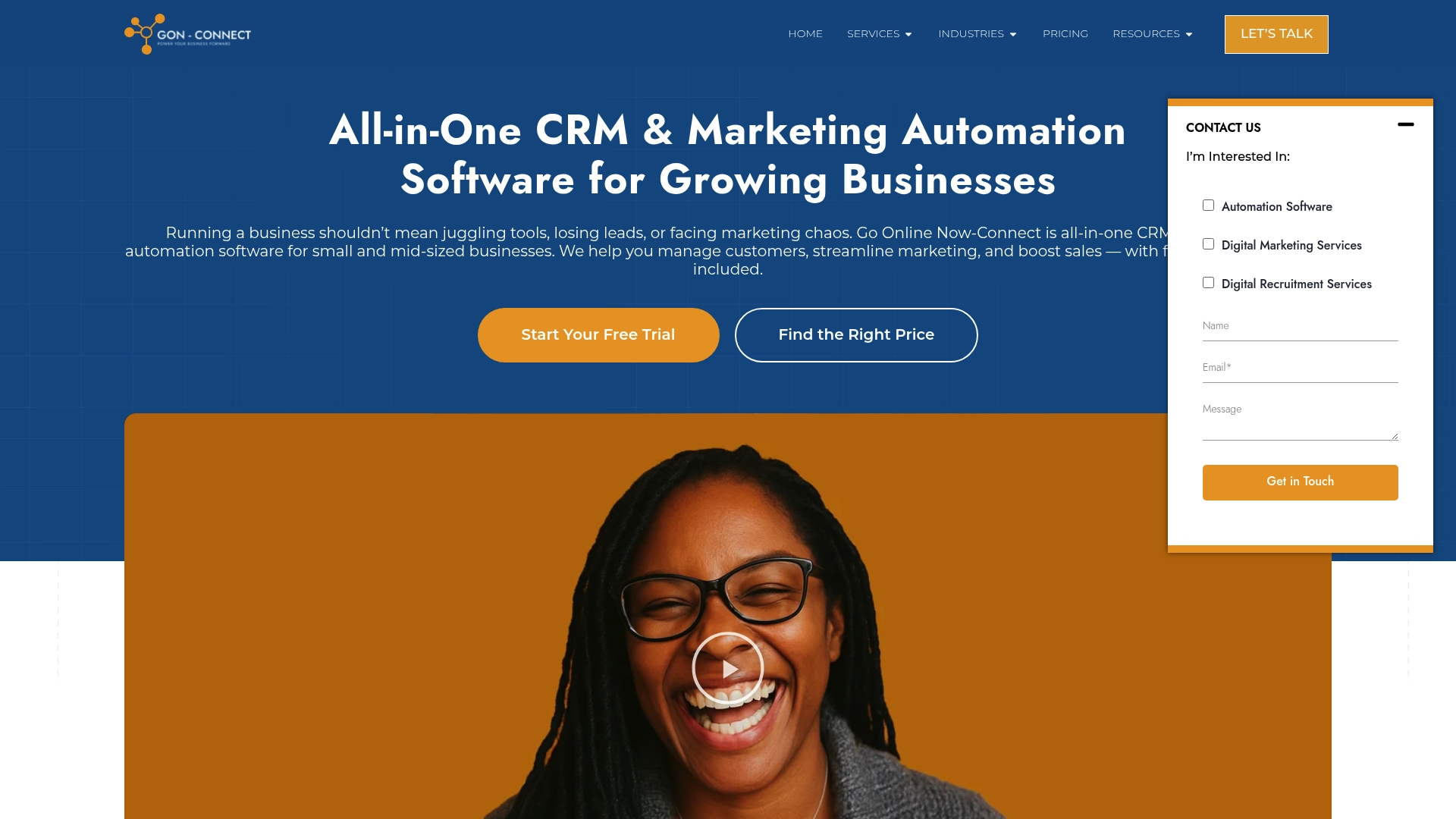
Experience the power of unified growth with Go Online Now-Connect. Our platform combines a streamlined marketingautomatiseringssoftware voor kleine bedrijven met een all-in-one CRM that simplifies lead management and customer engagement. Backed by real human support and done-for-you setup, you get everything in one simple, affordable system designed to save time and increase conversions by up to 85 percent in just 90 days. Start transforming your business now and stop struggling with disconnected tools. Visit Go Online Now and take the first step toward smarter growth today.
Veelgestelde vragen
How can an all-in-one CRM help my small business grow?
Using an all-in-one CRM can significantly enhance your business by consolidating customer data, marketing campaigns, and communication into one platform. To get started, evaluate your current systems and identify what needs to be streamlined to improve efficiency and speed up growth.
What steps should I take to simplify my lead management process?
To simplify your lead management, focus on centralizing all lead information into one system that tracks their status and interactions. Define your ideal prospect, map out the customer journey, and establish clear rules for how leads move through your sales funnel to enhance your conversion rate by up to 25%.
How can I create effective email and SMS campaigns that convert?
Effective email and SMS campaigns involve segmentation and personalization of your audience to deliver tailored messages at the right time. Begin by identifying three key customer segments and develop targeted campaigns that guide them through their buying journey, potentially increasing conversion rates within 30 days.
What are the best practices for automating customer journeys in my business?
Start by mapping out the entire customer journey, identifying key touchpoints where automation can provide timely interaction. Implement automated sequences for welcome messages, follow-ups, and re-engagement, which can save your team time and improve customer satisfaction by responding instantly.
How do I effectively manage and improve my company’s online reputation?
To improve your online reputation, actively monitor reviews and respond promptly to feedback, both positive and negative. Create a process for requesting reviews from satisfied customers right after a positive experience, aiming to accumulate a minimum of five new reviews each month to strengthen your credibility.
What role does digital recruitment play in streamlining my hiring process?
Digital recruitment tools can streamline your hiring by using technology to source, filter, and evaluate candidates more efficiently. Define your hiring criteria clearly, utilize various sourcing channels, and implement structured interviews to fill positions faster and with better quality candidates, reducing your recruitment time by up to 50%.
Aanbevolen
- Understanding Digital Growth Strategies for SMBs – Go Online Now
- Understanding Digital Marketing Strategies for SMEs – Go Online Now
- 10 Digital Marketing Tips for SMBs to Boost Growth – Go Online Now
- Understanding Why Digital Marketing for SMBs Matters – Go Online Now
- Price Levels Feature – Samtouch Point of Sale System