
Setting up effective email marketing automation can feel daunting when every message needs to reach the right person at the right moment. For American and British small business owners, understanding how to segment your audience and personalize each campaign is the difference between emails that convert and those that go ignored. By focusing on audience segmentation strategies and automated workflows, you’ll discover actionable steps to build lasting customer relationships and increase conversion rates without added complexity.
Step 1: Assess business needs and audience segments
Before you launch any email marketing campaign, you need to understand exactly who you’re talking to and what your business actually needs to achieve. This step determines everything that comes after, so taking time to get it right pays dividends. You’re essentially building the foundation for a workflow that converts prospects into customers and keeps existing ones engaged.
Start by clarifying your business objectives. Are you trying to generate leads, nurture existing prospects, increase customer lifetime value, or reduce churn? Write these down specifically. Instead of saying “grow revenue,” identify that you want to increase repeat purchases by 25% or move cold leads into a sales conversation within 30 days. These concrete goals shape how you’ll segment your audience and what messages you’ll send.

Next, dive into your current customer data. Pull together information about who’s already buying from you, who’s engaging with your content, and who’s disappearing. Look at purchase history, email engagement patterns, website behavior, and any demographic information you have. This isn’t about guessing who your ideal customer is anymore. You have real data showing you exactly who responds to your offers.
Then comes audience segmentation, which is where the real power emerges. Audience segmentation strategies go beyond basic demographics to include behavioral patterns, geographic location, purchase history, and even how engaged someone is with your emails. You might segment by customer lifecycle stage (new customers, regular buyers, at-risk customers), by product purchased, by engagement level, or by specific interests they’ve shown. The more thoughtfully you segment, the more relevant your emails become, and relevance drives both open rates and conversions.
Here’s a concise comparison of key audience segmentation strategies and their typical business outcomes:
| Segmentation Strategy | Criteria Used | Example Application | Verwachte impact op het bedrijf |
|---|---|---|---|
| Demographic Segmentation | Age, gender, location | Send emails to specific age groups | Improves relevance, higher open rates |
| Behavioral Segmentation | Purchase history, website actions | Target buyers based on last product | Increases conversion, lowers churn |
| Engagement Segmentation | Email opens, click-through rates | Re-engage inactive subscribers | Boosts renewal rates, improves ROI |
| Lifecycle Segmentation | Customer stage (new, loyal, at-risk) | Welcome series for new customers | Accelerates onboarding, repeat sales |
Consider using surveys or direct conversations with your audience to understand what problems they’re trying to solve and what they value most. When you understand customer motivations and pain points, you can craft messages that actually resonate instead of generic broadcasts that everyone ignores. Tools like targeted audience communication help you connect personal touches with scale, so your emails feel personal even when you’re sending to hundreds or thousands of people.
Document all of this in one place. Create a simple spreadsheet or note that outlines your top 3 to 5 audience segments, what makes each one unique, what they care about, and what you want them to do. This becomes your reference guide as you build out your workflows in Ga nu online - Maak verbinding. When you’re clear on these segments, setting up automation becomes straightforward because you know exactly which messages go to which people.
Pro tip: Start with your most profitable customer segment first, not your biggest one. Identify which group generates the most revenue or has the highest engagement, and perfect your workflow for them before expanding to other segments. This approach delivers faster results and gives you proof of concept to show other team members why email segmentation matters.
Step 2: Set up automated email campaigns with Go Online Now-Connect
Now that you understand your audience segments, it’s time to build the automation workflows that will reach them at exactly the right moment with exactly the right message. Setting up automated campaigns is where email marketing transforms from manual effort into a system that works for you around the clock, nurturing leads and delighting customers without requiring you to send each email individually.
Start by choosing which customer journey you want to automate first. This might be a welcome series for new subscribers, a nurturing sequence for cold leads, or a re-engagement campaign for customers who haven’t purchased in months. Go Online Now-Connect makes this straightforward because you can map out your entire workflow visually before activating it. Begin with your simplest sequence, not your most complex one. A basic welcome series of 3 to 5 emails that introduce your brand and deliver immediate value is perfect for your first automation. This gives you confidence and shows results quickly.
Within Go Online Now-Connect, build your campaign by defining the trigger that starts the sequence. Behavior-triggered email campaigns automatically send based on what your customers actually do like signing up, making a purchase, clicking a link, or going inactive for a set period. These triggers are the backbone of effective automation because they ensure your message arrives when someone is thinking about your business, not just when you think to send it. Once you set the trigger, you add your emails to the sequence, space them out with appropriate timing (usually 1 to 3 days apart for welcome series), and add your personalization tokens so each recipient sees their own name and relevant details.
Personalization goes beyond just inserting someone’s first name. Use the segments you created earlier to send different emails to different groups. New customers might get emails about onboarding and best practices, while existing customers get emails about upgrades or complementary products. Go Online Now-Connect lets you create branching workflows where the path someone takes depends on how they engage with previous emails. If they click a link in email one, they might go down path A. If they ignore it, they go down path B. This level of sophistication used to require expensive platforms, but Go Online Now-Connect delivers it affordably with their done-for-you setup included.
Before you launch, test everything. Send test emails to yourself and your team. Check that links work, images load properly, personalization tokens display correctly, and the timing feels natural. Read through your email copy one more time to catch typos or awkward phrasing. A small investment in testing now saves you from sending broken emails to your entire customer base later. Once you’re confident, activate the workflow and monitor performance from day one. Go Online Now-Connect provides clear reporting showing opens, clicks, conversions, and unsubscribes so you can see what’s working and what needs adjustment.
Onthoud dat strategic planning for automation workflows is crucial to your success. Don’t just set up automation and forget about it. Check your metrics weekly for the first month, then adjust based on what the data shows. Maybe your subject lines need to be shorter, or your emails are going out at a bad time for your audience. These small optimizations compound over weeks and months into significantly better results.
Pro tip: Start with your highest-converting audience segment and build your first automation specifically for them instead of trying to create one generic workflow for everyone, then once you see solid results with one segment, duplicate and customize that workflow for your other segments to save time and ensure consistency.
Step 3: Design and personalize email templates for engagement
Your email templates are the face of your brand in your subscribers’ inboxes, so they need to look professional, feel inviting, and most importantly, drive action. A well-designed template combined with smart personalization transforms generic messages into conversations that feel like they were written just for that one person. This step is where you move beyond simply sending emails to creating experiences that make people want to open, read, and click.
Start with the visual foundation. Your template should reflect your brand identity through consistent colors, fonts, and logos that match your website and marketing materials. Keep the design clean and uncluttered because busy templates overwhelm readers and get ignored. Use plenty of white space, break up content with short paragraphs and subheadings, and make sure everything is easy to scan quickly. Most people skim emails instead of reading them word for word, so structure your template accordingly with the most important information at the top. Equally critical is mobile optimization. More than half of emails are opened on phones and tablets now, so your template must look great on small screens. Test your design on multiple devices before you finalize it, or use Go Online Now-Connect’s built in responsive templates that automatically adjust to any screen size.
Now comes the personalization that truly sets your emails apart. Personalized subject lines and dynamic content dramatically increase open rates and clicks because they make each recipient feel like the email was created specifically for them. Beyond inserting someone’s first name in the greeting, use dynamic content blocks that change based on what you know about that person. If a customer bought a blue widget last month, show them recommendations for blue accessories. If someone visited your pricing page but never signed up, show them a special offer. If a subscriber came from a specific ad campaign, reference that campaign in the email body. These small touches feel personal and drive much higher engagement than one-size-fits-all messages.
Your calls to action deserve special attention because they’re what you’re actually asking readers to do. Email template best practices emphasize clear, compelling calls to action that stand out visually. Make your buttons large enough to tap easily on mobile, use contrasting colors so they pop against the background, and use action oriented language like “Get Started Now” or “Claim Your Free Trial” instead of vague buttons that say “Learn More.” Place your primary call to action above the fold so people see it without scrolling, then reinforce it again near the end of the email for those who scroll all the way through.
Personalization also applies to your send time and frequency. Different segments might prefer different schedules. New customers might appreciate daily tips for their first week, while long time customers might prefer weekly summaries. Go Online Now-Connect lets you test different send times to see when your specific audience is most likely to open emails. Run a test where you send the same email at different times to different segments, then track which time performed best. Use those insights for future sends.
Before launching any email, proofread ruthlessly and test on real devices. Typos and broken links damage your credibility instantly. Check that all personalization tokens are rendering correctly so someone doesn’t receive an email saying “Hello [firstname]” instead of “Hello Sarah.” Send test versions to yourself and a few team members, open them on phones and desktops, click every link, and read through carefully. A few extra minutes of testing prevents hours of damage control after you send to thousands of people.
Pro tip: Create 3 to 5 template variations for different customer segments (new buyers, repeat customers, inactive subscribers) and reuse these templates for all your campaigns instead of designing new templates from scratch each time, which saves time and maintains consistent quality across all your communications.
Step 4: Integrate CRM for seamless lead management
Your email marketing campaigns are generating leads and conversations, but if those interactions live only in your email platform, you’re missing critical opportunities to move people through your sales pipeline. Integrating your CRM with Go Online Now-Connect connects the dots between marketing activities and sales outcomes, giving your entire team visibility into where each lead stands. This integration transforms scattered data into a unified view of every customer interaction.
Start by connecting your Go Online Now-Connect account to your CRM. If you’re already using Go Online Now-Connect, you’re ahead because it includes a built-in CRM, so your lead data automatically flows in the right direction. If you’re using a different CRM system, Go Online Now-Connect integrates with most major platforms. The connection takes just a few minutes to set up, and once it’s live, every email interaction automatically updates your contact records. When someone opens an email, clicks a link, or makes a purchase, that information immediately syncs to your CRM. This real-time data synchronization means your sales team always sees the most current view of each prospect’s engagement level.
Lead scoring becomes your next powerful tool. Lead scoring based on customer behavior automatically assigns points to contacts based on their actions like opening emails, clicking links, visiting specific pages, or downloading resources. Contacts who engage frequently get higher scores, automatically flagging them as sales-ready leads for your team. This eliminates guesswork about who’s actually interested versus who’s just taking up space in your list. Your sales reps can focus their energy on the hottest prospects instead of cold calling everyone.
The CRM integration also enables lead nurturing through lifecycle automation. When a lead enters a particular stage in your sales pipeline, your CRM can automatically trigger specific email sequences. If someone downloads a pricing guide but doesn’t sign up, they automatically enter a different nurturing sequence than someone who already became a customer. This stage-based approach ensures every lead gets the right message at the right time based on where they actually are in their journey, not just random timing.
Set up clear lead management workflows that your whole team understands. Define what makes a lead sales-ready in your organization. Is it someone who opened at least 3 emails from you? Someone who visited your pricing page? Someone who engaged with you at least twice in the past 30 days? Document these criteria so everyone’s aligned. In Go Online Now-Connect, you can create automated alerts that notify your sales team the moment a lead hits these criteria, so they can reach out while interest is fresh.
Make sure your sales and marketing teams talk regularly about what’s working and what’s not. If your marketing team is sending leads that don’t convert, marketing and sales need to investigate together. Maybe the emails are attracting the wrong type of lead, or maybe sales needs to follow up faster. Regular communication between these teams turns the CRM integration into a feedback loop that continuously improves your results.
Pro tip: Create a simple dashboard that shows your team the status of all leads in your pipeline with filters for score, industry, and days since last activity, making it easy for sales reps to prioritize their outreach and for marketing to see which segments generate the most sales-ready leads.
Step 5: Test and refine workflow for optimal results
Your email workflow is live and running, but the real optimization happens through continuous testing and refinement. Think of your first version as version 1.0. Every test you run, every metric you analyze, and every adjustment you make improves performance. This iterative approach transforms a decent workflow into one that consistently delivers results and adapts as your audience evolves.
Start with A/B testing, which is simply sending two slightly different versions to small portions of your audience to see which performs better. Test one element at a time so you know exactly what made the difference. Try different subject lines like a question versus a statement, or test send times like Tuesday at 10am versus Thursday at 2pm. Test your call to action button text, your email copy length, or even your sender name. A/B testing different email elements reveals what your specific audience actually responds to, not what you think they should respond to. Send your test to maybe 20 percent of your audience, let it run for a few days, then use the winning version for the remaining 80 percent. This approach gives you statistically reliable data while still reaching most of your list with the better performing email.
To help clarify the different types of A/B tests that optimize email workflows, here is a reference table summarizing approaches and ideal test metrics:
| Email Element | Example Test Approach | Best Metric to Monitor | Typical Impact |
|---|---|---|---|
| Subject Line | Question vs statement | Open rate | Immediate attention |
| Call to Action Button | “Get Started” vs “Claim Offer” | Click-through rate | Drives actions |
| Send Time | Morning vs afternoon | Engagement rate | Maximizes visibility |
| Content Personalization | Static vs dynamic blocks | Conversion rate | Increases relevance |
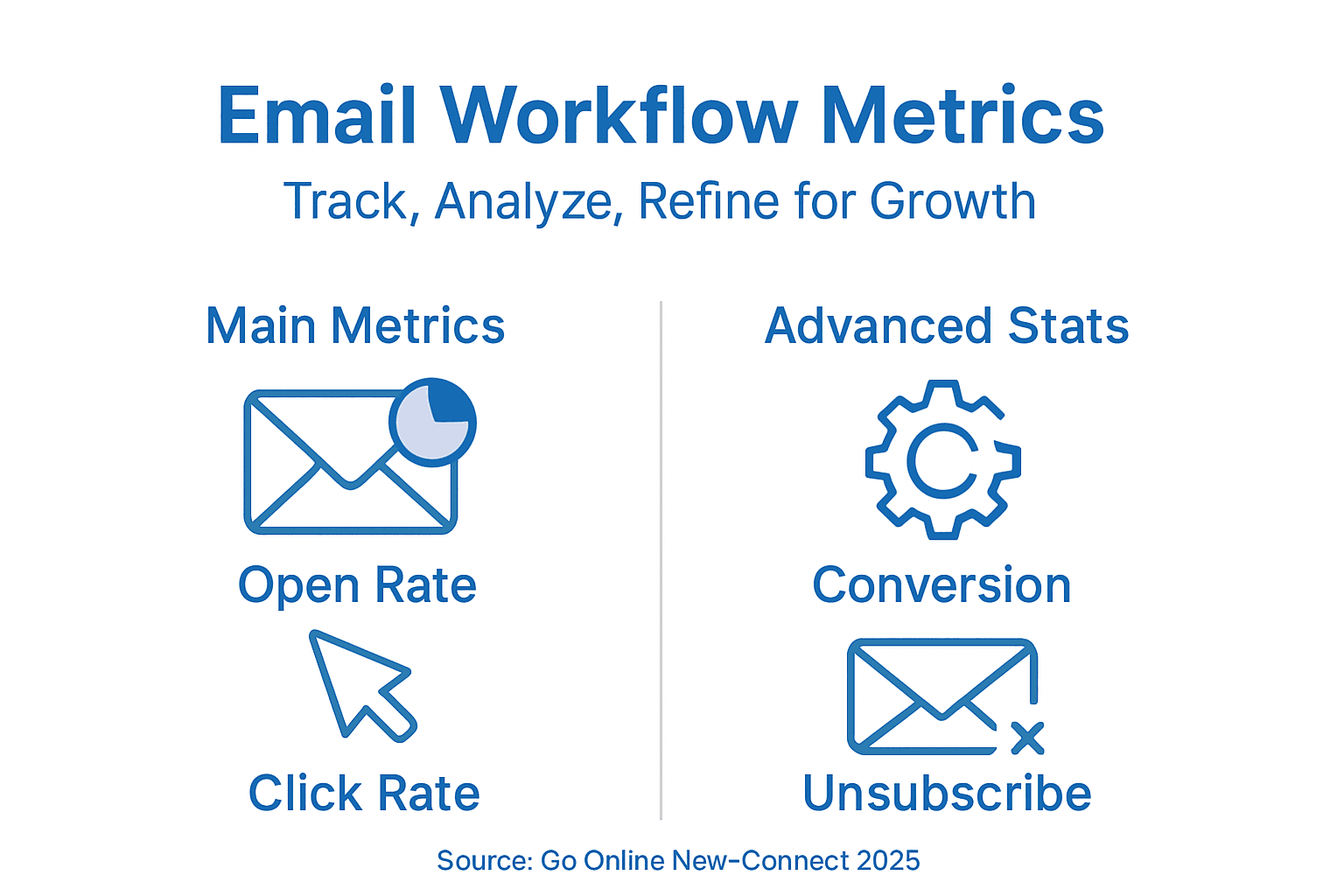
Analytics are your constant guide. Go Online Now-Connect provides detailed dashboards showing open rates, click rates, conversion rates, and unsubscribe rates for every campaign. Look at these numbers regularly and ask yourself questions. If your open rate dropped this week compared to last week, why might that be? Did you change your subject line approach? Send at a different time? Maybe your audience composition shifted. If your click rate is strong but conversions are low, the issue might be that you’re driving the right people to the wrong landing page. These insights guide your next tests.
Segmentation testing reveals which groups respond best to different approaches. Maybe your newer customers have much higher open rates with educational content while your long-time customers prefer promotional emails. Once you discover these patterns, you can create permanently different workflows for different segments instead of one generic approach for everyone. Data-driven segmentation refinement based on engagement performance ensures you’re always moving toward greater relevance and higher ROI.
Set a testing calendar so you’re consistently running experiments. Maybe you test something new every two weeks. This prevents your workflow from going stale and helps you stay ahead of changing audience preferences. Document everything. Create a simple spreadsheet noting what you tested, when you tested it, what the results were, and what you learned. This becomes your playbook that anyone on your team can reference to understand why you send emails a certain way.
Pay special attention to your unsubscribe rate. If it’s climbing, something in your workflow is wrong. Maybe you’re sending too frequently, or maybe your subject lines are misleading so people feel tricked when they open the email. A slightly higher unsubscribe rate is normal, but sudden jumps are warning signs. Also monitor bounce rates and spam complaints. If these numbers spike, your email provider might reduce your sender reputation, which hurts deliverability.
Set realistic targets based on industry benchmarks and your own historical performance. If you’re getting a 20 percent open rate, pushing toward 22 or 23 percent is reasonable. Pushing toward 50 percent in one month is not. Small, consistent improvements compound into remarkable results over months and quarters. After 90 days of testing and refinement, you should see noticeably better metrics than when you started.
Pro tip: Focus your testing on the elements that have the biggest impact on revenue first like subject lines and calls to action that drive clicks, then optimize smaller elements like send day after you’ve maximized the high-impact factors.
Elevate Your Email Marketing Workflow with Go Online Now-Connect
Mastering email marketing workflows requires the right tools to segment audiences, automate campaigns, personalize content, and integrate CRM smoothly. If you want to stop struggling with scattered platforms or overcomplicated systems, Go Online Now-Connect offers everything SMBs need in one simple, affordable solution. Our platform is designed to help you convert leads, nurture customers, and save time using proven automation techniques specifically tailored for small business growth.
Ready to transform your email marketing strategy without the hassle of juggling multiple tools Explore our Automation Archives – Go Online Now and see how our all-in-one marketing automation software and CRM solution can deliver up to 85 percent more conversions while saving you 75 percent of your time. Visit Go Online Now-Connect today and get started with done-for-you setup and real human support that makes growing smarter, not harder, a reality. Don’t wait your competitors are automating right now.
Veelgestelde vragen
How do I assess my business’s email marketing needs?
To assess your business’s email marketing needs, start by clarifying your business objectives, such as generating leads or increasing customer engagement. Document specific goals, like increasing repeat purchases by 25%, to guide your audience segmentation and messaging strategies.
What is audience segmentation in email marketing?
Audience segmentation involves dividing your subscriber list into smaller groups based on specific criteria like behavior, demographics, or purchase history. By segmenting your audience, you can tailor your email campaigns to be more relevant, which can improve open rates and conversions by as much as 30%.
How can I set up automated email campaigns effectively?
To set up automated email campaigns, begin by identifying a customer journey to automate, such as a welcome series for new subscribers. Utilize visual mapping tools to outline the workflow and define triggers based on user actions that initiate each email sequence, ensuring messages reach contacts at the right moments.
What elements should I include in my email template for better engagement?
Your email template should reflect your brand identity with consistent colors and fonts, along with a clean and mobile-friendly design. Include clear calls to action that stand out and direct the reader toward the desired outcome, such as clicking a promotional link or signing up for an event.
How do I integrate my email marketing with a Customer Relationship Management (CRM) system?
To integrate your email marketing with a CRM, connect your email platform to the CRM to ensure that lead data syncs automatically. This integration helps you track lead engagement and supports targeted follow-up, improving lead conversion rates by keeping your sales team informed of the latest interactions.
What steps should I take for testing and refining my email workflow?
Begin by implementing A/B testing on various elements such as subject lines and calls to action to determine what resonates with your audience. Monitor key metrics like open rates and conversion rates regularly, and establish a testing calendar to continuously optimize your email campaigns for the best results.
Aanbevolen
- Email Marketing in 2025: Smarter Engagement for SMBs – Go Online Now
- 7 Essential Email Marketing Strategies for 2025 SMB Success – Go Online Now
- How to Automate Marketing Workflows for Fast SMB Growth – Go Online Now
- Marketing Automation Software: Smarter Growth for SMBs – Go Online Now
- Insights & Strategies: Conversion Rate Optimization Blog | Conversion Design